
Instagram and Facebook Messenger Integration
Manage Messages from Instagram, Facebook, and WhatsApp in One Place
Bring all your conversations into a single inbox. Improve response times, keep track of customer interactions.
- Combine all chats into a single, easy-to-use dashboard
- Use AI to respond more quickly and accurately
- Keep full conversation histories for better context
- Use auto translation to chat with customers in any language

See Omnichannel Inbox In Action
Unified Communication Hub
One Dashboard to Manage Multi-Channel Conversations
Keep all your customer interactions in one place. Manage WhatsApp, Instagram, and Facebook Messenger messages from a single, intuitive dashboard.
- View all messages in one unified interface
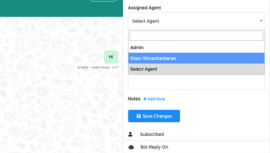
- Assign chats to team members for faster responses
- Organize conversations with custom filters
- Reduce chaos and improve efficiency
- Unified Interface
- Team Assignments
- Custom Filters
- Increased Efficiency

Smart Chatbot Integration
Automate Workflows with Multi-Channel Chatbots
Deploy chatbots to handle routine inquiries and tasks. Free up your team to focus on more complex customer needs.
- Use chatbots for instant, automated responses
- Collect customer information with ease
- Direct inquiries to the right team members
- Guide users to WhatsApp for deeper engagement
- Instant Responses
- Data Collection
- Auto Assignment
- Customer Guidance

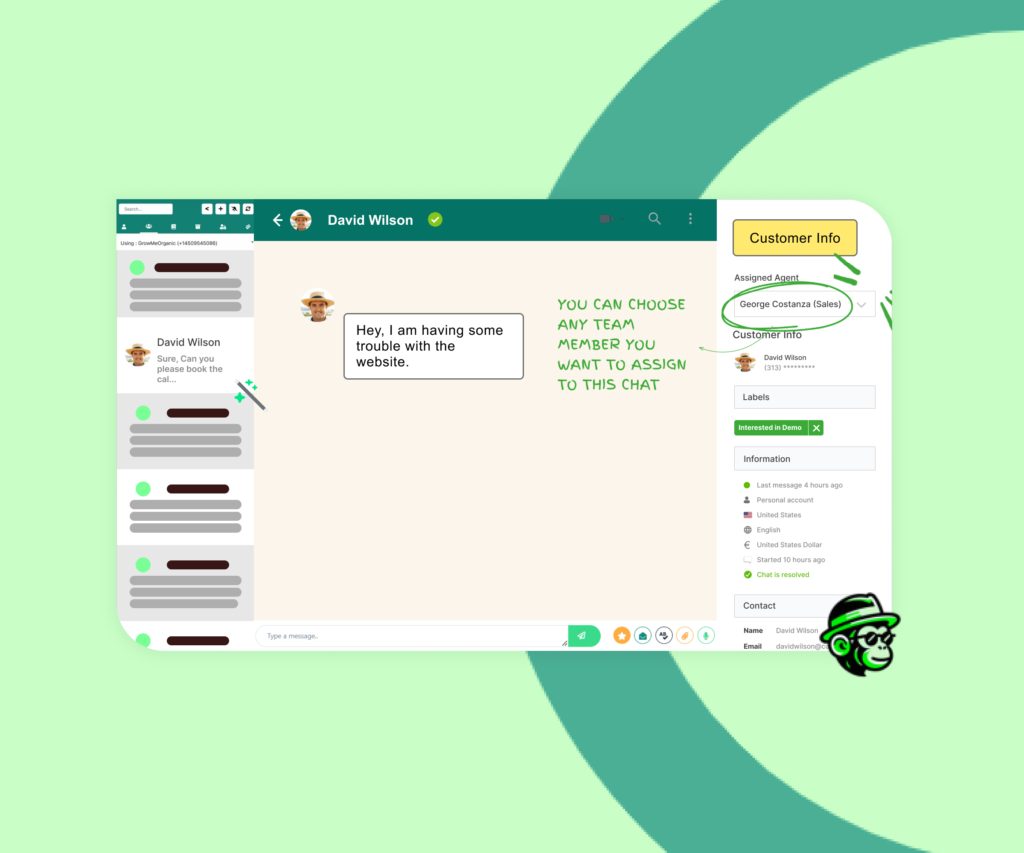
Multi-Agent Chat Assignment
Seamlessly Assign Chats to Multiple Agents
Ensure no customer message goes unanswered by assigning chats to multiple agents. Share the workload, improve response times, and provide better support by letting team members collaborate on customer conversations
- Faster Responses – Multiple agents can step in, so customers don’t wait
- Efficient Workload Sharing – Distribute chats among team members effortlessly
- Better Collaboration – Agents can work together to resolve customer inquiries
- Enhanced Support Quality – Provide timely, consistent responses for every chat
- Team Support
- Quick Assign
- Better Collaboration
- Improved Response
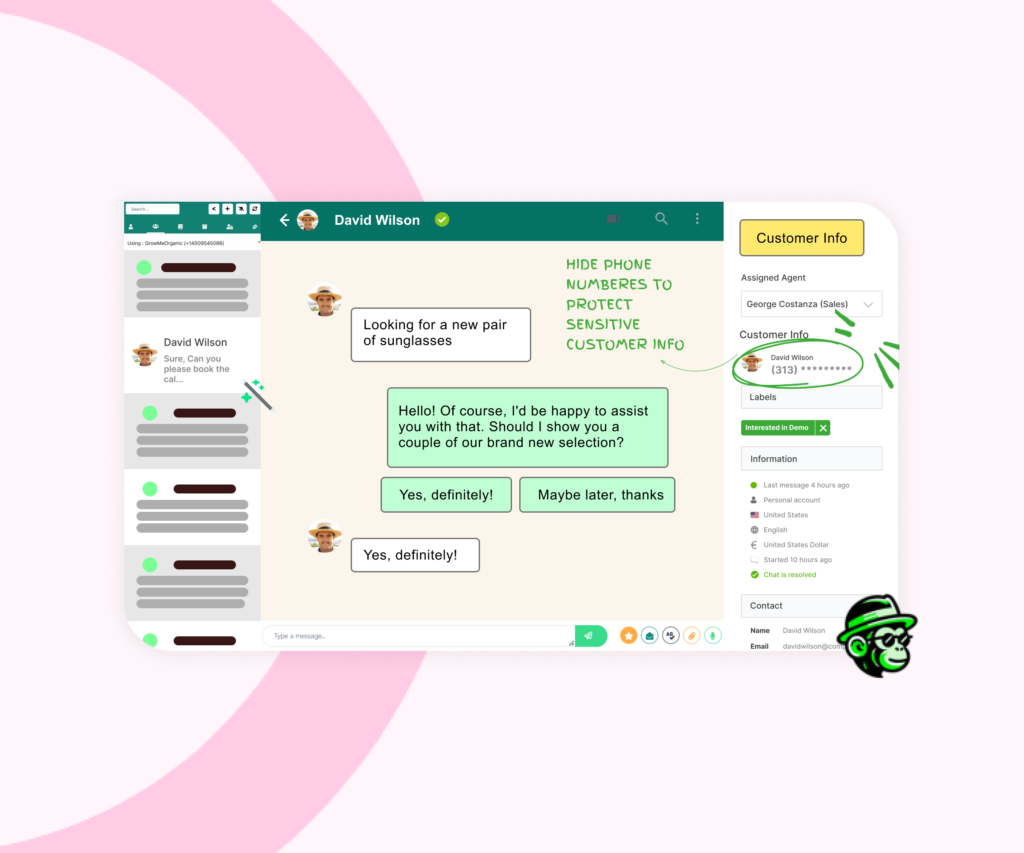
Agent Privacy Control
Protect Customer Phone Numbers from Unauthorized Access
Safeguard your customer’s contact details by masking their phone numbers. This feature keeps full numbers hidden from agents, reducing the risk of data misuse and securing customer information
- Prevent Data Leaks – Hide phone numbers to protect sensitive customer info
- Agent Access Control – Agents can assist without seeing full contact details
- Build Customer Trust – Show customers their privacy is a top priority
- Security Compliance – Keep your business aligned with data protection standards
- Mask Phone Numbers
- Control Access
- Prevent Data Misuse
- Protect Privacy
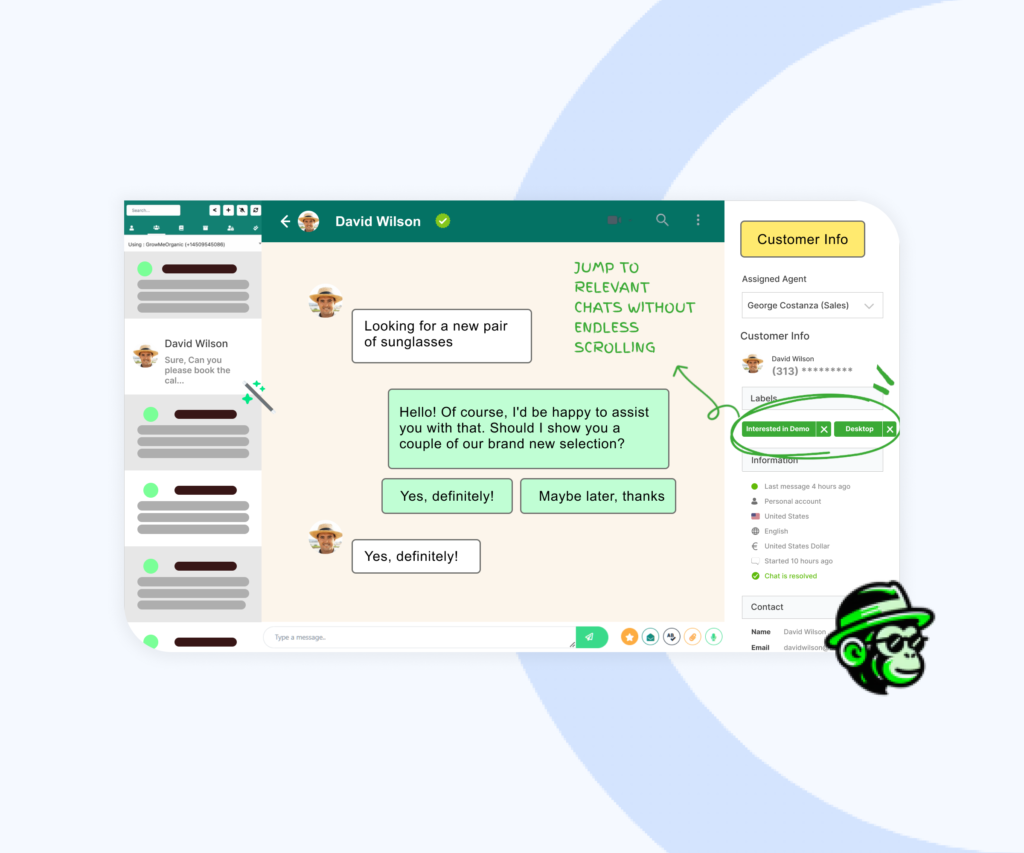
Tag-Based Chat Filtering
Find Important Chats Faster with Tags
Easily organize and filter customer chats by tags, so you can quickly access specific conversations. Whether it’s support, sales, or follow-ups, tags help you keep track of what matters most and improve team efficiency
- Organized Conversations – Tag chats by topic or customer need for easy sorting
- Faster Access – Jump to relevant chats without endless scrolling
- Improved Team Focus – Assign and locate chats based on tags for faster responses
- Enhanced Customer Service – Keep chats streamlined for a better customer experience
- Tag Chats
- Quick Filters
- Organized View
- Efficient Sorting
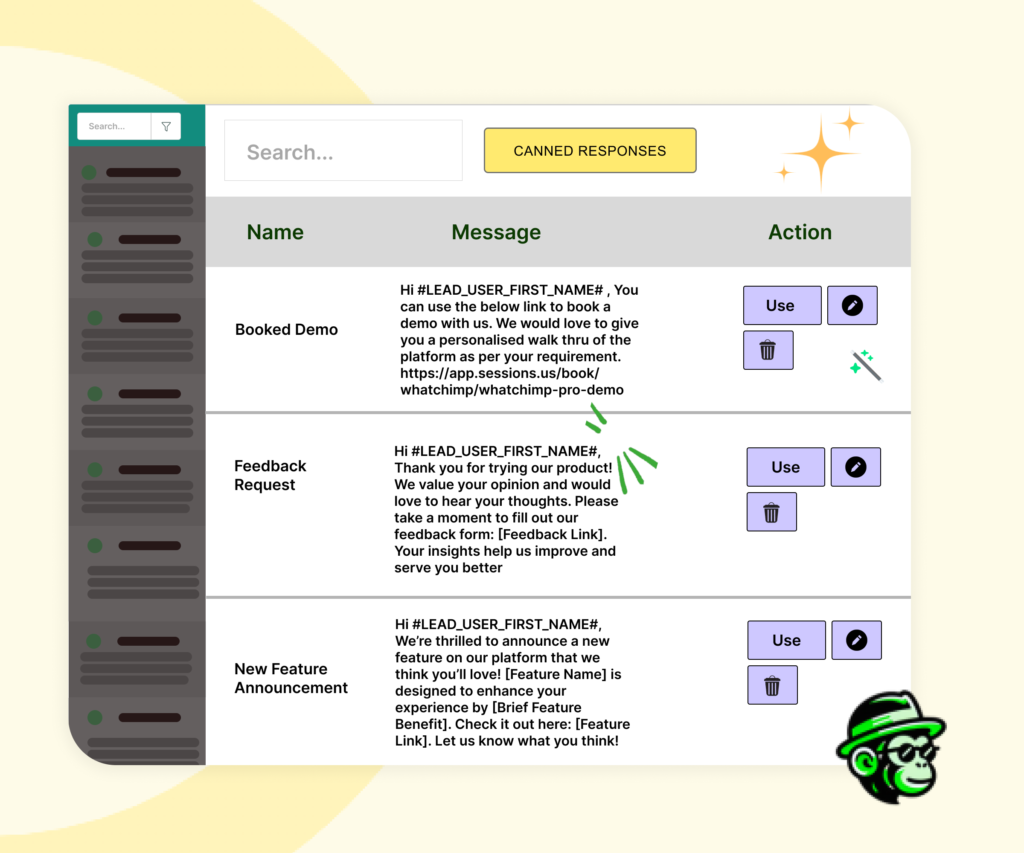
Canned Responses
Reply Faster with Pre-Saved Canned Responses
Save time and maintain consistency by using canned responses for common questions. With just a click, your team can send pre-written replies, helping customers get quick answers and freeing up time for more complex inquiries
- Instant Replies – Respond to frequently asked questions in seconds
- Consistent Messaging – Keep replies on-brand and accurate every time
- Save Time – Reduce repetitive typing for faster, more efficient support
- Better Customer Experience – Quick replies keep customers happy and informed
- Pre-Saved Replies
- Fast Responses
- Consistent Support
- Time-Saving
Efficient Customer Engagement
Improve Response Time with Welcome Messages & Out-of-Office Workflows
Ensure every message gets a quick reply. Use automated welcome and out-of-office messages to keep customers informed.
- Send personalized welcome messages instantly
- Use out-of-office replies to manage expectations
- Engage customers with rich media content
- Maintain communication even when offline
- Instant Welcome
- Automated Replies
- Rich Media
- Continuous Engagement

Lead Conversion Strategy
Drive Leads from Instagram DMs to WhatsApp
Capture leads directly from Instagram and move them to WhatsApp for further engagement.
- Collect phone numbers from Instagram DMs
- Build your contact list in the dashboard
- Engage leads with personalized WhatsApp messages
- Boost sales without algorithms
- Lead Capture
- Contact Building
- Personalized Engagement
- Sales Boost

Integrate Instagram and Facebook Messenger for Business Communication
Use Instagram and Facebook Messenger to connect directly with your customers. Manage messages, automate replies, and enhance engagement from a single platform
Customer Stories
What Our Customers Say
Businesses of all sizes are transforming their customer support with WhatChimp's AI Chatbot
"The AI chatbot has transformed our customer support. It handles over 70% of inquiries automatically, freeing our team to focus on complex issues. Setup was incredibly easy."

Rohan Chaubey
Startup Growth Advisor
Increase in customer engagement
"We trained the AI on our product catalog and FAQs, and it now handles all basic product inquiries. Our customers love getting instant responses at any time of day."

Ritwik Ahlawat
SaaS Founder
Reduction in response time
"The intent detection feature is a game-changer. It automatically routes sales inquiries to our sales team while letting the AI handle support questions. ROI was positive within the first month."

Pulkit Gupta
Business Growth Consultant
Increase in campaign reach
Frequently Asked Questions
We're here to answer all your questions
Everything you need to know about the product and billing. Can’t find the answer you’re looking for? Please chat to our friendly team.
Our unified inbox feature allows you to view and respond to all messages from Instagram, Facebook Messenger, and WhatsApp in a single dashboard.
Yes, you can set up automated replies to ensure customers receive immediate responses, even outside of business hours.
Our platform provides detailed analytics, including engagement metrics and conversation histories, to help you refine your communication strategy.
Absolutely. You can deploy AI-powered chatbots to handle routine inquiries and direct more complex issues to your team.
You can send personalized greetings and use rich media like images and videos to create engaging customer interactions.
Integrating Instagram and Facebook Messenger helps streamline communications, improve response times, and enhance customer satisfaction by reaching them on their preferred platforms.



Start Today
Your Customers are on WhatsApp! Are You?
Get started with WhatsApp AI Chatbot today and supercharge your customer engagement!
