WhatsApp payment link: how to create, send and automate payments in chat (2026)
Learn what a WhatsApp payment link is, how to set up WhatsApp Pay, send gateway links, follow Meta's template rules and automate payment reminders.

On this page
What this guide covers
- Key takeaways
- What is a WhatsApp payment link?
- The WhatsApp payment invite link: setting up WhatsApp Pay
- How to send a WhatsApp payment link, step by step
- Native in-chat payments: Meta’s Pay Now cards (India)
- Do you need the WhatsApp Business API?
- How to automate payment links
- What does payment on WhatsApp cost?
- Sample payment-link messages (copy and adapt)
- Best practices for safe payment links
- How WhatChimp helps you send payment links at scale
- Conclusion
- FAQs
Key takeaways
- For most businesses, a WhatsApp payment link is a link from a payment gateway like Razorpay, Cashfree, PayU or Stripe that you paste into a chat, and you don’t need the WhatsApp Business API to send one.
- WhatsApp Pay is a separate product: person-to-person UPI payments in India, which you set up from WhatsApp’s official link at wa.me/pay/upi/signup/.
- Meta’s native “Pay Now” cards only work in India, only in INR, only on approved (allowlisted) accounts, and only with links from supported gateways.
- If the customer hasn’t messaged you in the last 24 hours, you can only send them a payment link through an approved template, so aim for the Utility category.
- Check every payment in your gateway dashboard. A screenshot from the customer doesn’t prove anything.
What if I told you three completely different products all go by the name “WhatsApp payment link”?
You’d probably think I’m exaggerating.
I’m not. And that mix-up is why so many shop owners I talk to are still collecting money the hard way: they send a UPI ID, the customer types the wrong amount, sends a blurry screenshot, and someone sits matching bank entries at 11 pm.
This guide shows you which payment option in WhatsApp fits your business. It covers how to set up WhatsApp Pay, how to send a gateway link step by step, the rules Meta enforces, what it really costs, and how to automate reminders so you stop chasing people.
We’ll start by clearing up that confusion.
What is a WhatsApp payment link?
A WhatsApp payment link is a link or button inside a WhatsApp chat that takes your customer to a payment screen. That’s the whole definition. The confusion comes from three different things being sold under that one name.
| Type | Who it’s for | API needed? | Where the customer pays | Fees |
|---|---|---|---|---|
| WhatsApp Pay (UPI) | People paying people in India | No | Inside WhatsApp, with their UPI PIN | WhatsApp says “no fees” |
| Gateway link pasted in chat | Any business, any country | No | The gateway’s page in a browser | Your gateway’s fee |
| Meta’s native payment card | Allowlisted Indian businesses | Yes | A card in the chat, then their UPI app or an in-app browser | Gateway fee plus Meta’s message charge |
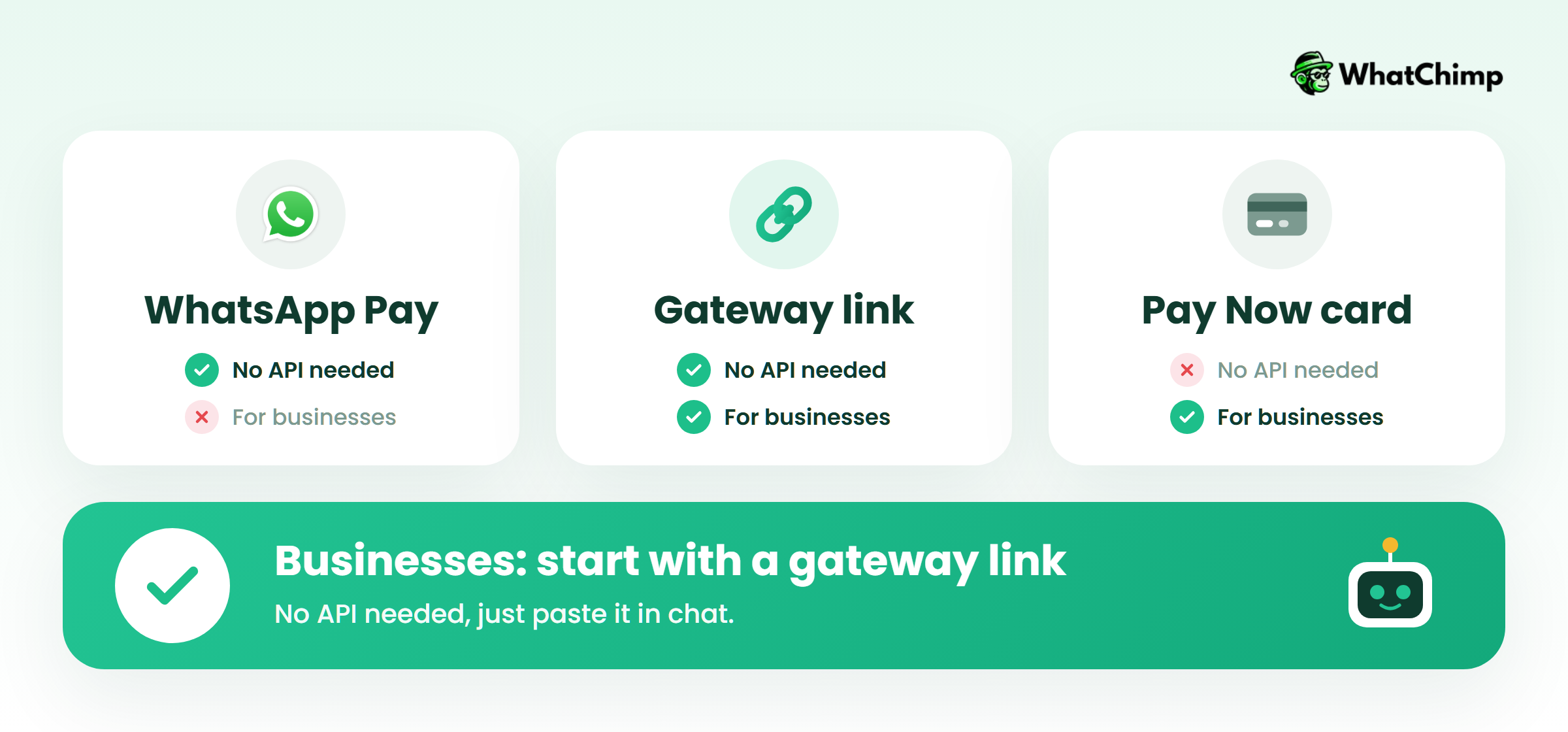
What a WhatsApp payment link is NOT
- ❌ It isn’t WhatsApp Pay. Pasting a Razorpay link into a chat doesn’t switch on WhatsApp’s UPI feature.
- ❌ WhatsApp isn’t handling the money. Your gateway processes it.
- ❌ The native card isn’t available everywhere. Meta lists it as India only.
The WhatsApp payment invite link: setting up WhatsApp Pay
If a friend sent you a WhatsApp payment invite link, they’re asking you to turn on WhatsApp Pay so they can send you money, or so you can send them money.
This is how to get WhatsApp payment working. Open WhatsApp’s official setup link (https://wa.me/pay/upi/signup/), choose your bank, and follow the prompts to link the account registered to your phone number.
Here’s what WhatsApp’s own payments page says about it:
- It’s “powered by BHIM UPI”, and “Money is directly transferred between bank accounts.”
- You “Use your UPI PIN every time you send money,” and WhatsApp “does not store your card or UPI PIN information.”
- Sending and receiving money comes with “no fees”.
What about the WhatsApp payment limit on personal UPI? WhatsApp’s page doesn’t publish one, and I couldn’t find a primary source for a daily figure, so I won’t make one up. Your bank app will show your UPI limit.
How to send a WhatsApp payment link, step by step
This is the route most small businesses should start with. It works from the free WhatsApp Business app.
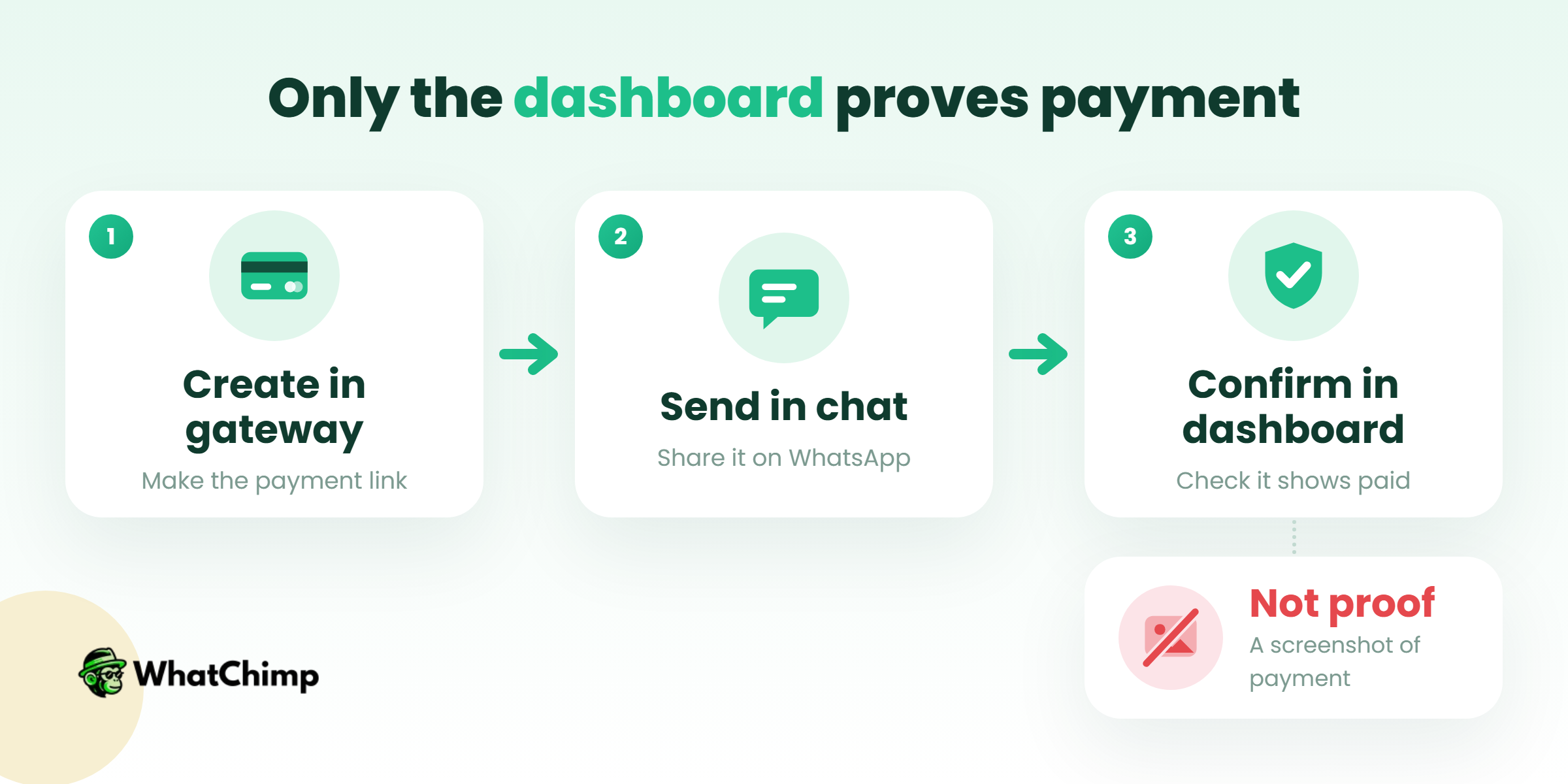
Step 1: Create the link in your gateway
Time required: 2 to 3 minutes
- Log in to Razorpay, Cashfree, PayU or Stripe.
- Click Payment Links, then Create.
- Enter the amount, the customer’s name, what the payment is for, and an expiry date.
- Copy the link.
Razorpay’s docs say its links are fixed-amount and one-time, and each one takes payment from a single customer. Razorpay also has no direct WhatsApp integration, so the sending part is up to you.
Step 2: Send it in the chat
Time required: 1 minute
Instead of: “pay here rzp.io/i/xxxx”
Use: “Hi Meera, here’s the payment link for your 2 kurtas from Rang Studio. It’s valid until Friday evening. rzp.io/i/xxxx”
Put your business name, what the payment is for and the expiry in the message. People don’t pay links they can’t place.
Step 3: Confirm in your dashboard, never from a screenshot
This is the MOST important step. A screenshot of a checkout page doesn’t prove anything, because it’s easy to fake or capture before the payment fails. Check the gateway dashboard, or use its webhooks (Razorpay sends `payment_link.paid` and `payment_link.expired`).
Native in-chat payments: Meta’s Pay Now cards (India)
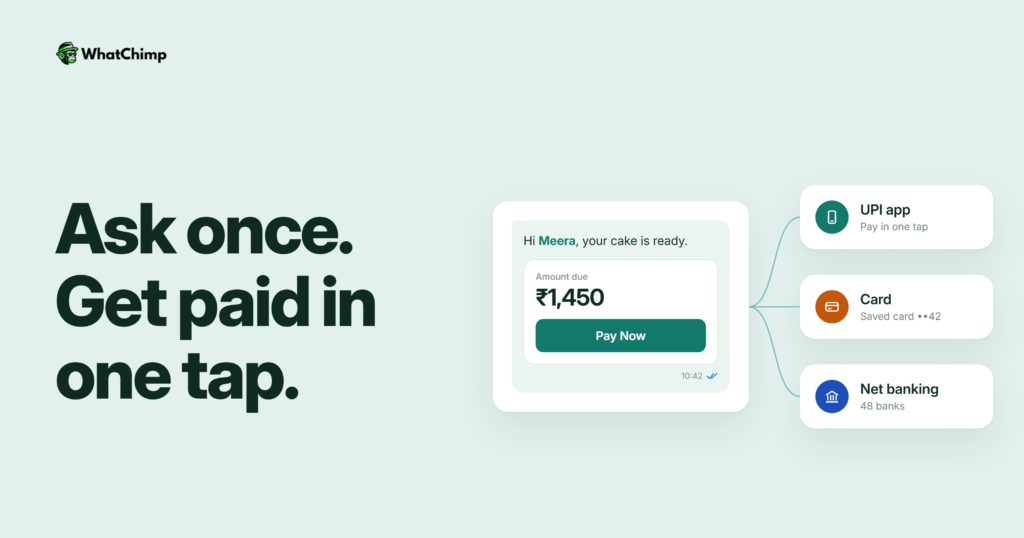
These are the polished version. Instead of a bare URL, the customer gets a card with the amount and a “Pay Now” button.
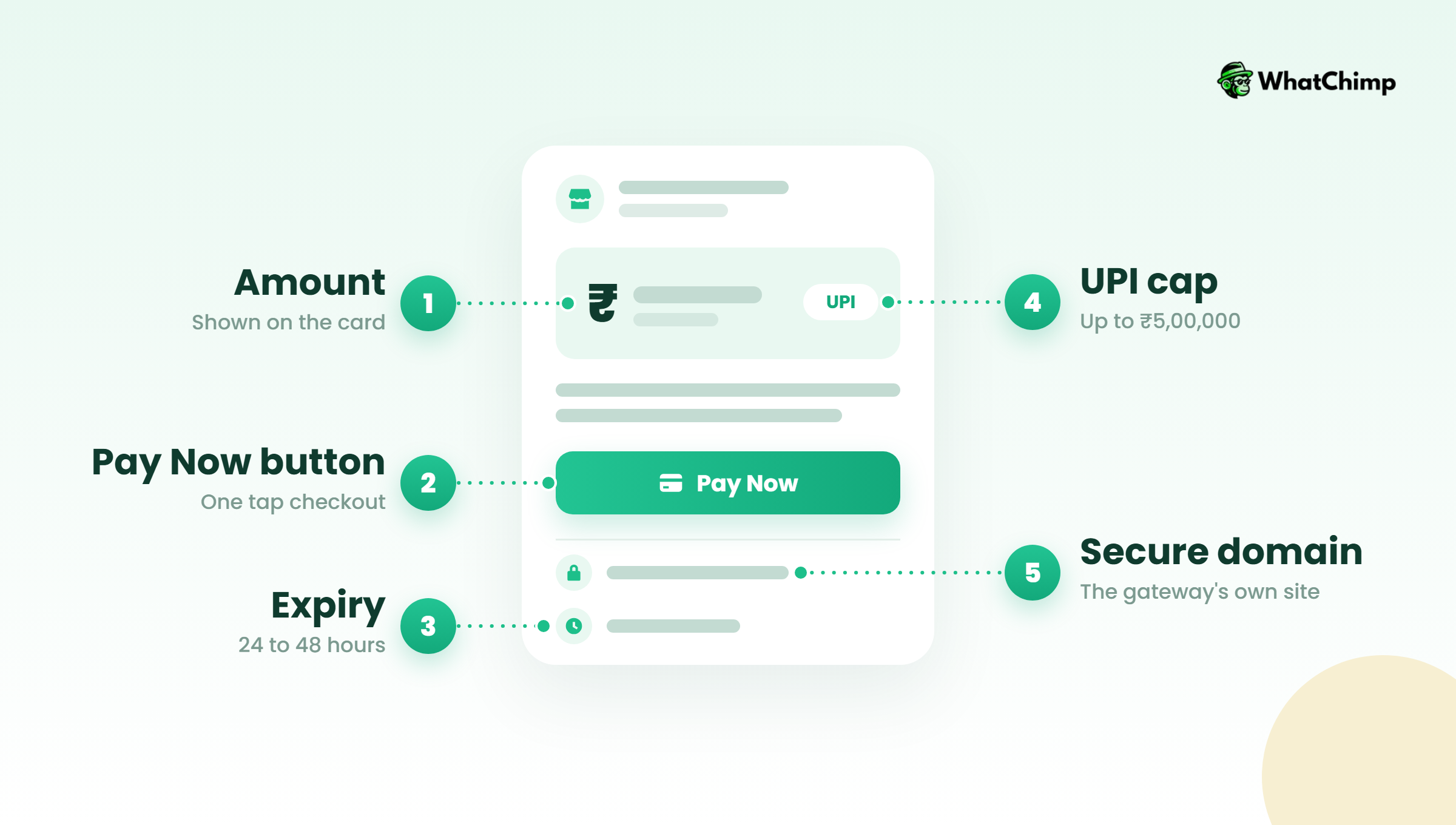
Enhanced Payment Links
According to Meta’s Enhanced Payment Links docs:
- UPI opens the customer’s UPI app (Google Pay, PhonePe, Paytm and others). Cards, net banking and wallets open in an in-app browser.
- The card updates when the payment succeeds or the link expires.
- Supported gateways: Razorpay, PayU and Cashfree, and your account has to be allowlisted.
- It’s sent as a template with no header and exactly one dynamic URL button.
- The link must use the gateway’s own prefix, like `https://rzp.io/i/`. Links on your own short or redirected domain won’t show as a card.
- Meta recommends an expiry of 24 to 48 hours, and how the card looks depends on the recipient’s WhatsApp version.
Order details “Review and Pay” messages
Meta also has an `order_details` flow, where the customer taps “Review and Pay”. Its docs are marked “not publicly available yet”. Meta’s gateway page lists BillDesk, Razorpay, PayU and Zaakpay for it, requires INR and an Indian beneficiary, and caps UPI transactions at ₹5,00,000. Payments above that have to go through the web option.
One more catch: Cashfree’s docs call its WhatsApp payment links “a paid feature available only to selected merchants”, and those links don’t accept partial payments.
Do you need the WhatsApp Business API?
“Can’t I just use my regular WhatsApp Business app?”
Technically, yes. Practically, no, not once you’re sending dozens of links a day. Here’s why:
- With the app, one person types every message by hand.
- With the API, your whole team logs in from a browser and replies from the same number, and you can automate reminders.
- Meta’s native Pay Now cards only work through the API.
The 24-hour window and Utility templates
If a customer hasn’t messaged you in the last 24 hours, you can only reach them with an approved template. Cashfree’s docs say these templates “must be approved as Utility” and that “Marketing-classified templates may fail to deliver.”
Instead of: “🔥 Pay today and get 10% off your next order!”
Use: “Hi Arjun, your invoice #2041 for ₹3,200 is ready. Tap below to pay.”
Keep it about the transaction. Sales language is what gets a template classified as Marketing.
How to automate payment links
1. Reminders that stop the moment the customer pays
Example in action: Priya runs a yoga studio. On the 1st, she sends member Rahul: “Hi Rahul, your November membership of ₹2,500 is due. Here’s your link.” If he hasn’t paid in two days, a reminder goes out. He pays on day three, and no more reminders go out. You can set this up with WhatsApp automations.
2. Cart nudges for Shopify stores
The WhatChimp Shopify integration sends abandoned-cart reminders after a default 30-minute delay, along with order notifications and COD confirmations.
3. Payment status updates
When the gateway marks a payment paid, send the confirmation right away. Customers stop asking “did it go through?”
4. Payment links to many customers at once
For fee collections or event deposits, a bulk WhatsApp broadcast sends one approved template to everyone, with their own name and link. Only send to people who’ve agreed to hear from you.
What does payment on WhatsApp cost?
| Cost | What you pay |
|---|---|
| Gateway fee | Whatever your gateway charges per transaction |
| Meta’s message charge | Charged per delivered message since 1 Jul 2025, by category and country. Current rates took effect 1 Oct 2026 |
| Free tier | 1,000 service messages a month per business number, from 1 Oct 2026 |
| Platform | WhatChimp’s Basic plan was $24/mo billed annually as of Aug 2026 |
The source for Meta’s figures is Meta’s pricing page. Check the current India rate card there before you budget. Meta also says accounts must move to INR billing by 31 Dec 2026. WhatChimp adds 0% markup on Meta’s fees. Our WhatsApp Business API pricing guide explains the categories.
Sample payment-link messages (copy and adapt)
- Invoice: “Hi [name], your invoice for [amount] from [business] is ready. Pay securely here: [link]. Valid for 48 hours.”
- Booking: “Hi [name], your slot on [date] is held. Confirm it with a [amount] deposit: [link].”
- Overdue: “Hi [name], a quick reminder that [amount] for [item] is still pending. Here’s your link again: [link].”
- Failed payment: “Hi [name], it looks like your payment didn’t go through. No stress, here’s a fresh link: [link]. Reply here if anything’s stuck.”
Best practices for safe payment links
- ✅ Use the gateway’s own link, not a shortener.
- ✅ Set an expiry and say it in the message.
- ✅ Name your business, the amount and what it’s for.
- ❌ Don’t confirm orders from screenshots.
- ❌ Don’t rely only on webhooks. Meta warns businesses “must not solely rely on these webhooks notifications” and offers a payment lookup API.
How WhatChimp helps you send payment links at scale
WhatChimp isn’t a payment gateway. Your money still goes through Razorpay, Stripe, PayPal or whichever gateway you already use.
What we handle is everything around it. You create a payment link for any amount and send it in a WhatsApp message. Its status moves from pending to completed, links expire automatically, and reminders stop automatically once the payment arrives. You can export everything to CSV for your accountant. We’re built on the official WhatsApp Business API, we’re a Meta Business Partner, and template approvals take about 10 seconds.
If you’re tired of chasing payments one chat at a time, start a 7-day free trial. No credit card needed.
Conclusion
You now know the difference between WhatsApp Pay, a gateway link and Meta’s native card. You also know the template rule and where the costs come from.
Today, pick your gateway and send one WhatsApp payment link with a clear message. If chasing payments eats your evenings, set up automated reminders in WhatChimp so they stop the moment someone pays.
Which payment are you still chasing by hand this week?
FAQs
Do I need a website to accept payment on WhatsApp?
No, you don’t. Gateways like Razorpay and Cashfree host the payment page for you. You create the link in their dashboard and paste it into the chat.
What is the WhatsApp payment limit?
For Meta’s business payments, UPI transactions are capped at ₹5,00,000 each, and anything above that goes through the web option. For personal WhatsApp Pay, WhatsApp doesn’t publish a limit, so your bank’s UPI limit is the one to check.
Is it safe to pay through a link on WhatsApp?
Yes, if the link comes from a gateway’s own domain and a business you recognise. Check the sender’s profile and the link’s domain before you pay.
- ❌ Short links from unknown domains
- ❌ Messages that don’t name the business or the amount
Can I send payment links to many customers at once?
Yes, through the WhatsApp Business API with an approved template. Each customer gets their own name and link. Only message people who’ve opted in.
What happens if my template is classified as Marketing?
It may not get delivered. Cashfree’s docs warn that Marketing-classified payment templates “may fail to deliver”. Rewrite it as a plain transactional message and resubmit it as Utility.
Does the customer pay inside WhatsApp?
Sometimes. With a pasted gateway link, they pay on the gateway’s page in a browser. With Meta’s Enhanced Payment Links, UPI opens their UPI app, and cards or net banking open in an in-app browser without leaving WhatsApp.