WhatsApp Campaign Best Practices: 8 Tactics to Drive More Sales (2026)
Email marketing is broken. Your carefully created campaigns sit unread in spam folders while your competitors are having real-time conversations with customers on WhatsApp. The numbers don't lie: WhatsApp delivers…

Key takeaways
- WhatsApp campaigns sell more when they run on the official WhatsApp Business API, respect Meta's rules and favour real conversations over mass broadcasting.
- Meta requires explicit opt-in consent, and purchased contact lists will get an account banned.
- Every message a business starts outside the 24-hour window needs a template that Meta has already approved.
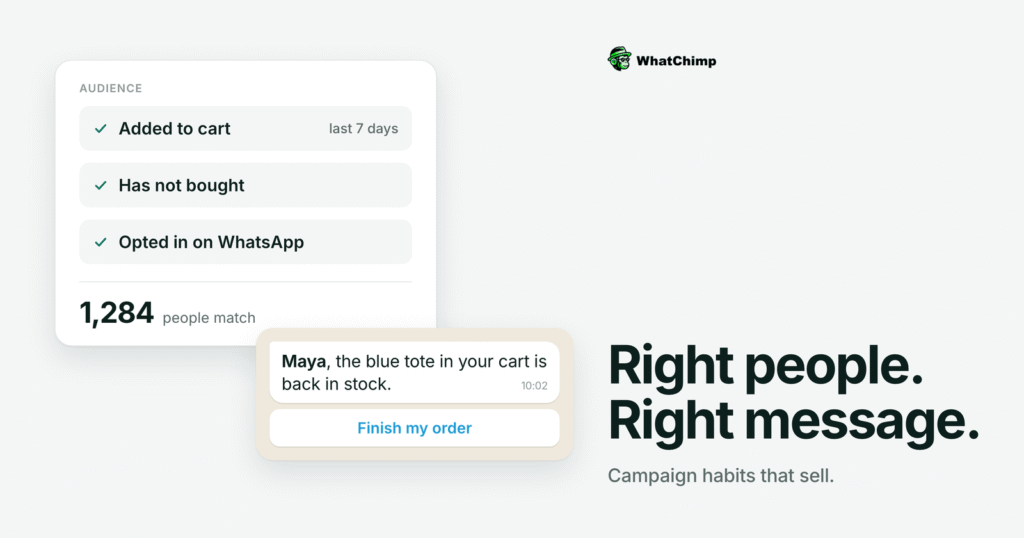
- Segmented messages based on behaviour, preferences or customer journey stage perform far better than one message sent to the whole list.
- Click-to-WhatsApp ads send people straight into a chat instead of a landing page and form, and the first reply should arrive within a minute.
On this page
Email marketing is broken.
Your carefully created campaigns sit unread in spam folders while your competitors are having real-time conversations with customers on WhatsApp.
The numbers don’t lie: WhatsApp delivers 98% open rates compared to email’s 20%.
Messages get read in 90 seconds, not 90 minutes. And businesses using WhatsApp campaigns are seeing conversion rates 3-5x higher than traditional channels.
But most businesses fail at WhatsApp marketing. They treat WhatsApp like email and wonder why it doesn’t work.
WhatsApp isn’t an email.
It’s a conversation platform where 2 billion people communicate daily. Your customers are already there, expecting businesses to meet them where they are.
WhatsApp campaigns work incredibly well when executed correctly.
You need the right infrastructure, proven tactics, and a strategy built for conversational commerce.
This guide reveals 10 battle-tested tactics that separate successful WhatsApp campaigns from failed experiments. Let’s turn WhatsApp into your highest-ROI marketing channel.
What is a WhatsApp Campaign?
A WhatsApp campaign is a strategic marketing initiative.
This is where businesses send automated or scheduled messages to multiple contacts through WhatsApp to drive engagement, nurture leads, or boost sales.
WhatsApp campaigns allow businesses to communicate with hundreds or thousands of customers simultaneously while maintaining a personalized, conversational tone.
Personal WhatsApp requires you to manually type and send each message individually.
WhatsApp campaigns leverage the WhatsApp Business API—Meta’s enterprise solution designed specifically for businesses that need to:
✅Send bulk messages to multiple contacts
✅Automate customer interactions and responses
✅Integrate WhatsApp with CRM, e-commerce, or support systems
✅Maintain compliance with Meta’s messaging policies
Types of WhatsApp Campaigns
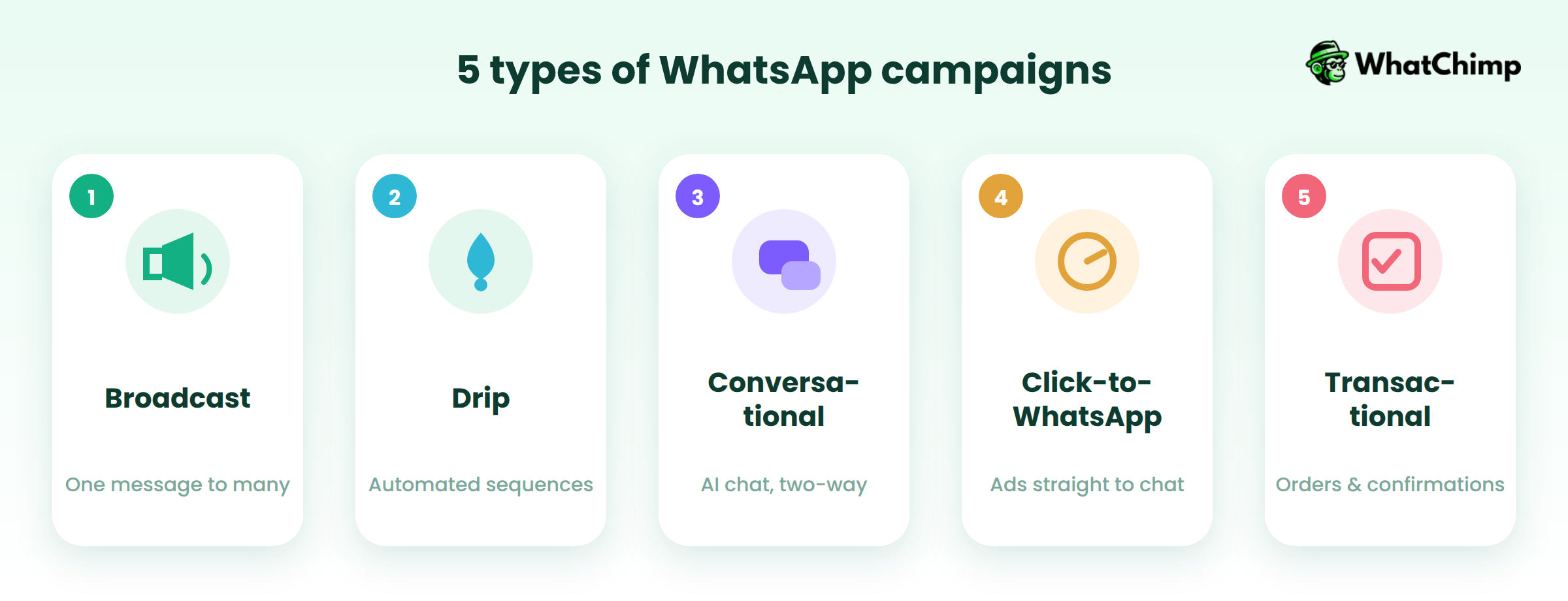
🎯 Broadcast Campaigns
Send a single message to multiple recipients at once. Perfect for product announcements, flash sales, or company-wide updates.
Each recipient receives the message individually in their chat, making it feel personal rather than like a mass email blast.
🎯 Drip Campaigns
Automated message sequences delivered over time based on triggers or schedules.
For example, a welcome series that sends messages on day 1, day 3, and day 7 after someone subscribes—gradually educating and nurturing them toward a purchase decision.
🎯 Conversational Campaigns
AI-powered chatbots that engage customers in real-time, two-way conversations.
These chatbots can:
👉Answer frequently asked questions instantly
👉Qualify leads by asking specific questions
👉Collect customer information automatically
👉Route conversations to the right team member
👉Operate 24/7 without human intervention
🎯 Click-to-WhatsApp Campaigns
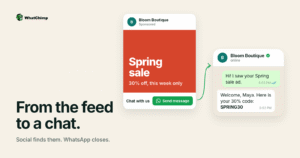
Paid advertisements on Facebook, Instagram, or Google that send users directly into a WhatsApp conversation when clicked.
This approach eliminates the friction of landing pages and forms, creating instant engagement with prospects.
🎯 Transactional Campaigns
Automated service messages triggered by specific customer actions, including:
👉Order confirmations
👉Shipping and delivery updates
👉Appointment reminders
👉Payment receipts
👉Booking confirmations
These messages keep customers informed throughout their entire buying journey.
How WhatsApp Campaigns Work
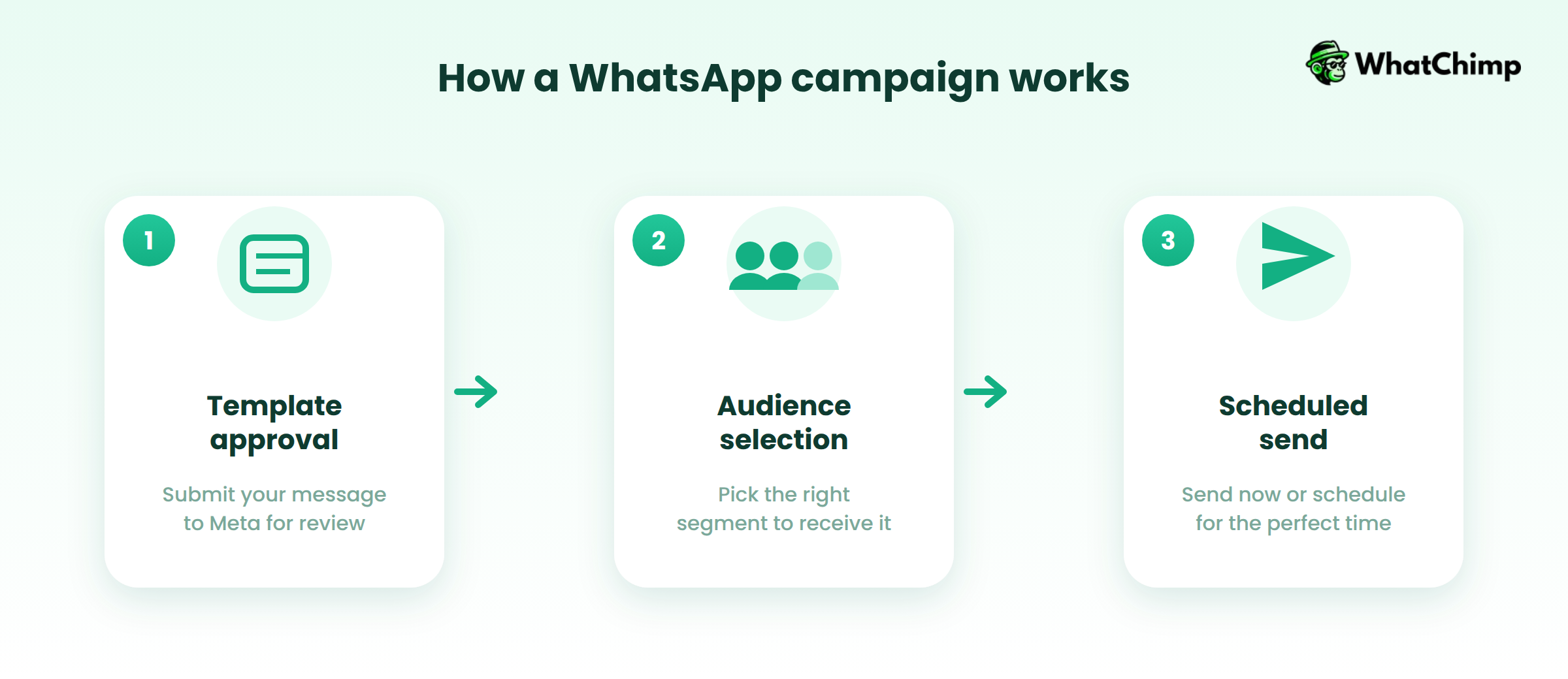
Running a successful WhatsApp campaign follows a structured three-step workflow:
Step 1: Template Approval
Create message templates and submit them to Meta for review. All broadcast messages require pre-approved templates to prevent spam and maintain quality standards.
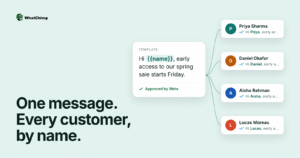
Templates typically include personalization variables like customer name, order number, or appointment time.
Step 2: Audience Selection
Choose your target contacts based on:
- Customer segments (new leads, active buyers, inactive users)
- Behaviors (cart abandoners, repeat purchasers, high-value customers)
- Tags or custom fields (location, interests, purchase history)
Step 3: Scheduled Send
Launch your campaign to send immediately or schedule it for optimal timing when your audience is most likely to engage typically during business hours in their local time zone.
Why WhatsApp Campaigns Matter in 2026
The marketing landscape has fundamentally shifted.
Traditional channels that once delivered strong results are now struggling to capture attention, while WhatsApp has emerged as the most effective platform for customer engagement and conversion.
If you’re still relying primarily on email, SMS, or phone calls, you’re missing out on a channel that delivers dramatically better results at a fraction of the cost.
The Channel Performance Gap
The numbers tell a clear story about why businesses are rapidly adopting WhatsApp campaigns.
Take a look at this image:
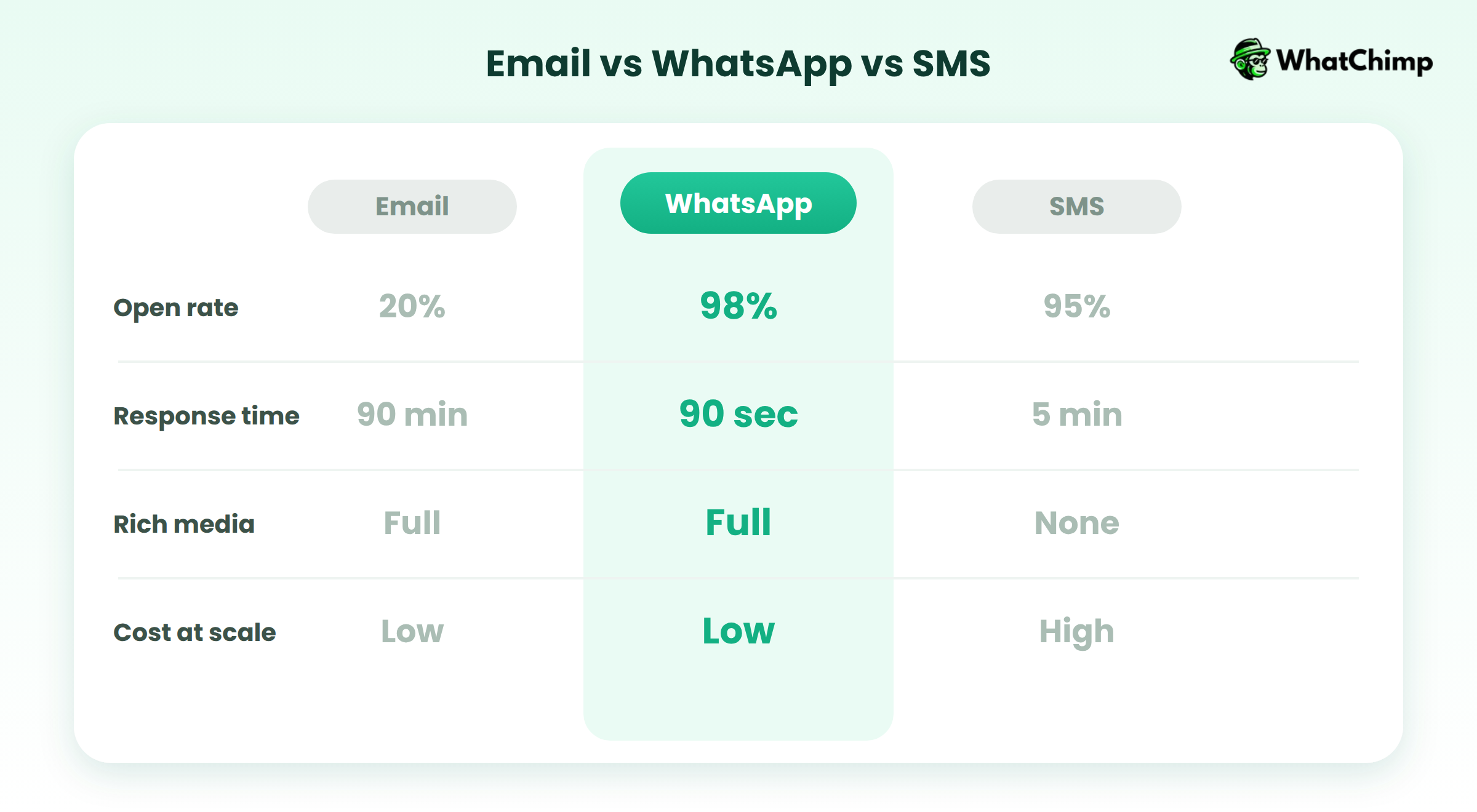
WhatsApp wins on every metric that matters:
📌98% open rates compared to email’s 20%
📌90-second average response time vs. 90 minutes for email
📌Full multimedia support
📌Affordable at scale
📌True two-way engagement
Industry Use Cases Across Every Sector
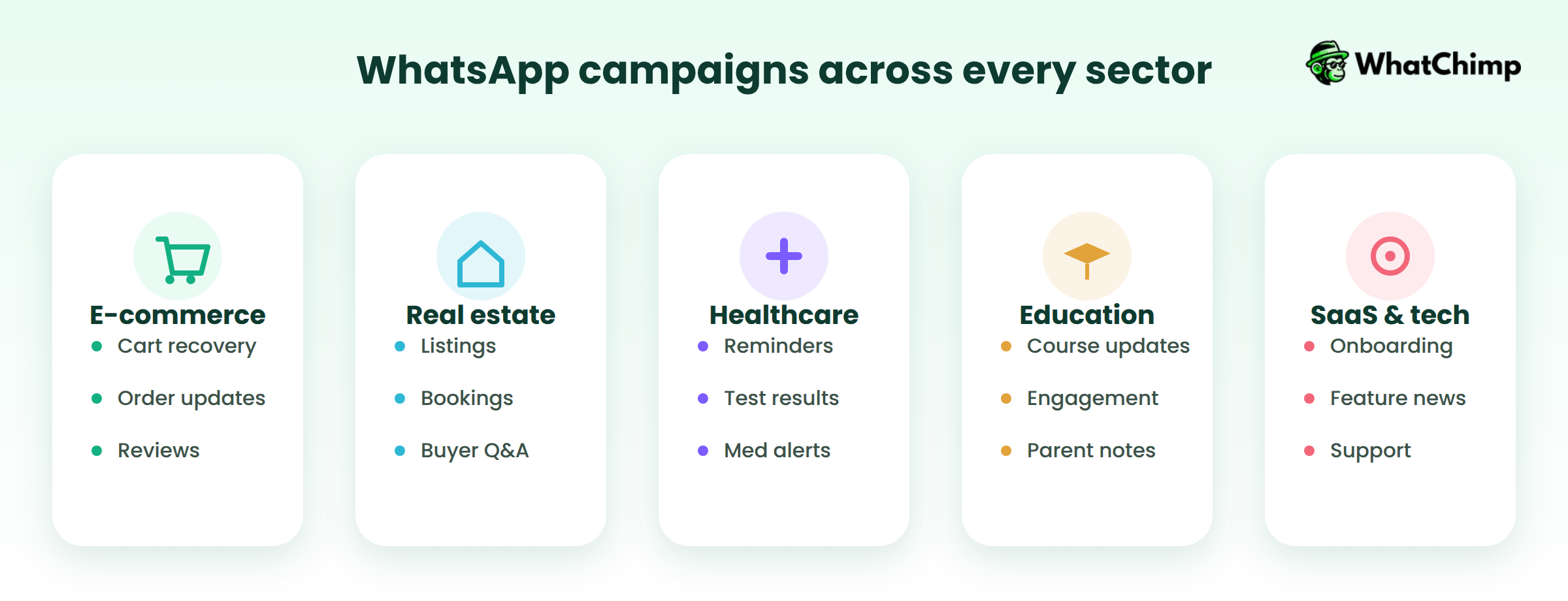
WhatsApp campaigns work for virtually every business model and industry:
E-commerce: Cart recovery, order confirmations, shipping updates, review requests.
Real Estate: Property listings, viewing bookings, buyer Q&A, mortgage updates.
Healthcare: Appointment reminders, test results, medication alerts, telemedicine.
Education: Course updates, student engagement, resource sharing, parent notifications.
SaaS & Technology: User onboarding, feature announcements, technical support, feedback collection.
The versatility of WhatsApp campaigns means that regardless of your industry, there’s a proven use case that drives measurable business results.
The businesses winning in 2026 are those that recognized this shift early and built WhatsApp into their core customer communication strategy.
How to Get Started with WhatsApp Campaigns
Getting started with WhatsApp campaigns requires proper setup and official approval from Meta.
While the process is straightforward, following the correct steps ensures you avoid delays, rejections, or compliance issues down the road.
Prerequisites: What You Need Before You Start
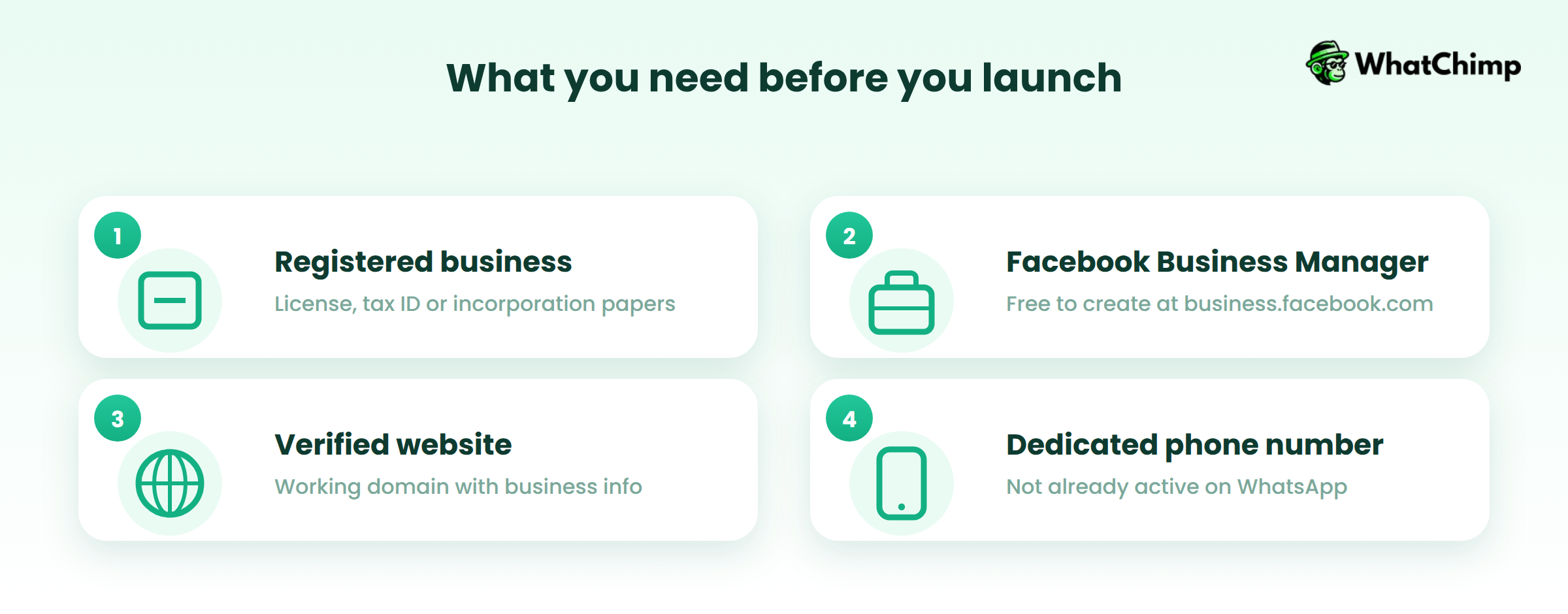
Before applying for WhatsApp Business API access, make sure you have:
✅Registered business with valid documentation (business license, tax ID, or incorporation papers)
✅Facebook Business Manager account (free to create at business.facebook.com)
✅Verified website with working domain and business information
✅Dedicated business phone number that’s not currently registered on WhatsApp (personal or business app)
Important: You cannot use a phone number that’s already active on WhatsApp. You’ll need a fresh number dedicated to your business API account.
The 7-Step Setup Process
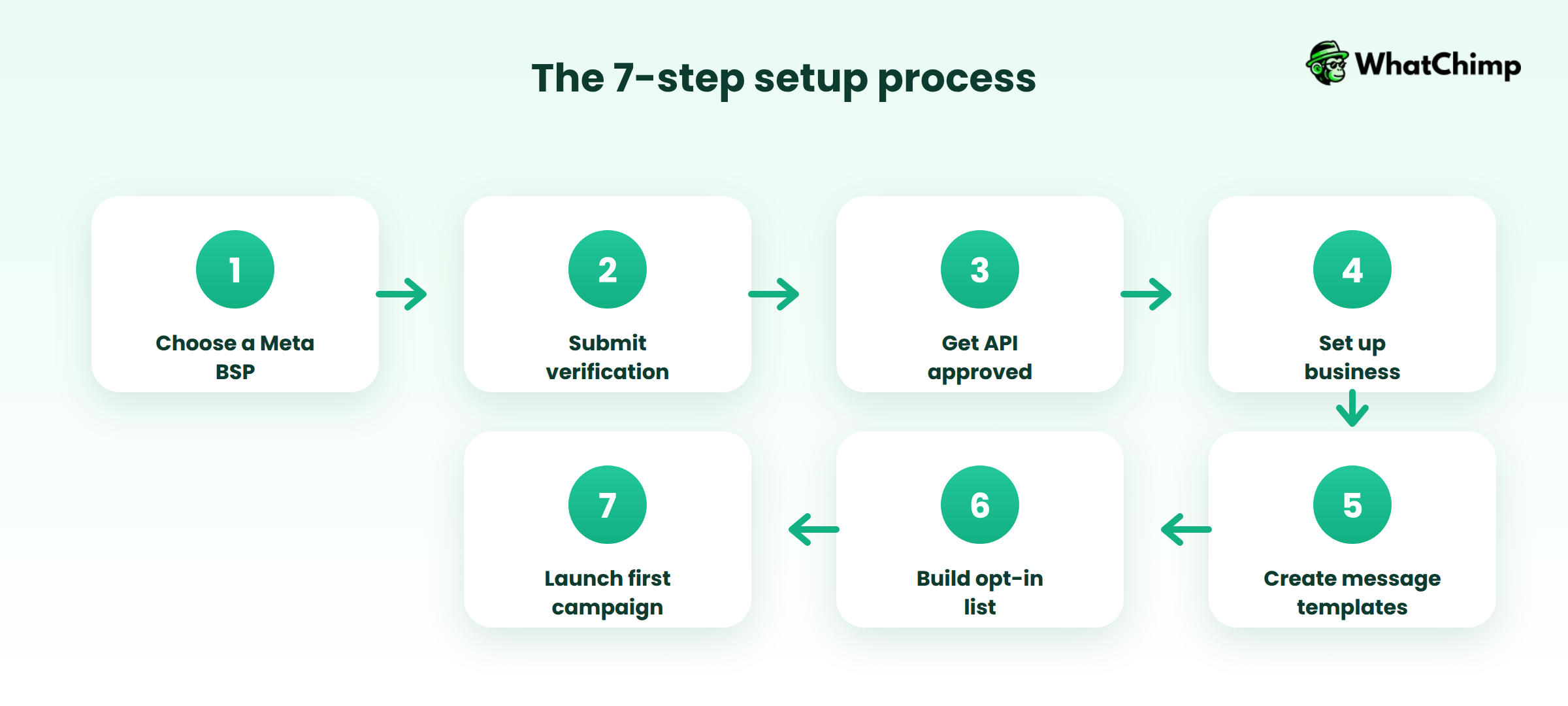
Step 1: Choose a Meta Business Solution Provider
You cannot access the WhatsApp Business API directly. Select an official Meta Business Solution Provider (BSP) like WhatChimp that offers API access, compliance support, and integration tools.
Step 2: Submit Business Verification Documents
Provide your business registration, proof of address, tax documents, and website details for Meta’s verification process.
Step 3: Get WhatsApp Business API Approved
Meta reviews your application—typically taking 1-3 business days. Some providers like WhatChimp can expedite this process.
Step 4: Set Up Your Business Profile
Add your business name, description, logo, address, business hours, and website to build trust with customers.
Step 5: Create and Submit Message Templates
Draft your first message templates following Meta’s guidelines and submit them for approval before you can send any broadcasts.
Step 6: Build Your Subscriber List with Opt-Ins
Start collecting WhatsApp contacts through website widgets, QR codes, click-to-WhatsApp ads, or checkout opt-ins—always with explicit permission.
Step 7: Launch Your First Campaign
Start with a simple welcome message or promotional broadcast to test delivery, engagement, and response rates.
The entire setup process typically takes 3-7 days from start to first campaign launch, depending on verification speed and template approval times.
10 Best Practices for to Drive More Sales (2026)
1. Start with Compliant Infrastructure to Avoid Account Bans
Every month, thousands of businesses lose their WhatsApp accounts permanently. Not temporarily suspended—permanently banned.
Why does this happen? Because they took shortcuts.
There’s only one legitimate, sustainable way to run WhatsApp campaigns at scale: the Official WhatsApp Business API.
When you use the official API, you’re operating within Meta’s approved framework with zero ban risk.
What the Official API provides:
👉Complete compliance with Meta’s policies and messaging guidelines
👉Verified business profile with the green checkmark that builds customer trust
👉Pre-approved message templates ensuring quality communication standards
👉Unlimited scalability to handle thousands of simultaneous conversations
👉Real-time analytics tracking delivery, read receipts, and campaign performance
However, you cannot access the WhatsApp Business API directly as an individual business.
You must work through a Meta Business Solution Provider (BSP)—an officially verified partner authorized by Meta to provide API access, infrastructure, and support.
This is where your choice of platform matters significantly.
Not all BSPs are created equal. Look for providers that are verified Meta Business Partners with direct access to Meta support.
WhatChimp, as a verified Meta Business Partner (ID: 9414567625222420), provides direct access to the official WhatsApp Business API with guaranteed compliance and priority support from Meta if any issues arise.
As an official partner, WhatChimp ensures your account setup follows Meta’s latest requirements, your message templates meet approval standards, and your campaigns operate within policy guidelines.
It therefore eliminates ban risk entirely while offering the industry’s most transparent pricing with 0% markup fees on Meta’s API rates.
(More about WhatChimp below.)
2. Build Your Audience the Right Way (Permission-First Growth)
Building a WhatsApp subscriber list isn’t like email marketing where you can buy lists or scrape contacts from the internet.
Meta enforces strict anti-spam policies, and violating them results in immediate account suspension or permanent bans.
Here’s what you need to know:
⚡Meta requires explicit opt-in consent.
⚡Purchased contact lists will get you banned.
⚡A list of 500 engaged subscribers who actively want to hear from you will generate far better results than 10,000 cold contacts who never consented.
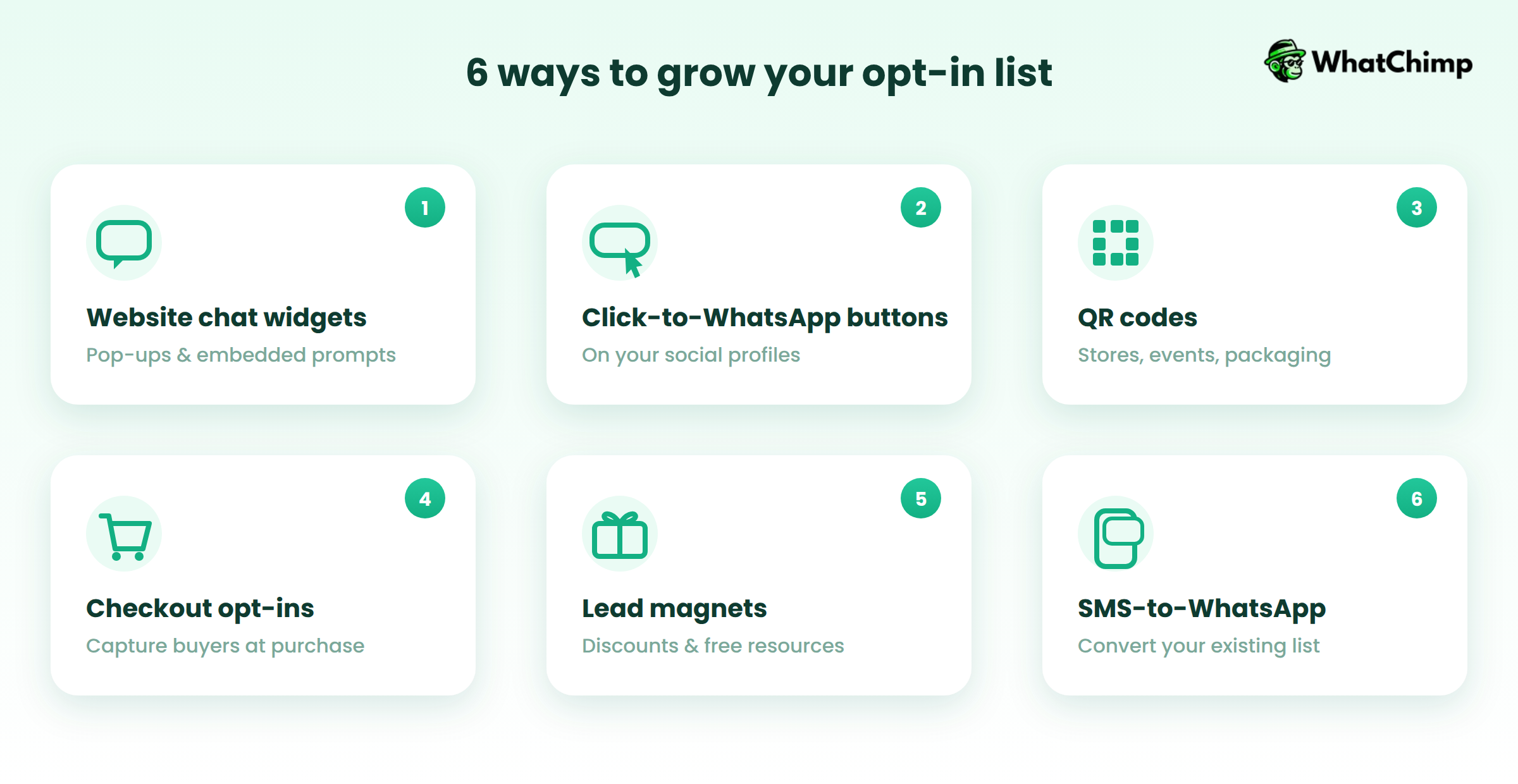
Building a high-quality WhatsApp audience requires strategic opt-in touchpoints across every customer interaction:
Building your WhatsApp audience the right way takes more effort than buying lists, but it creates a sustainable, high-converting asset that drives long-term business results.
3. Master Message Templates (Write, Submit, Get Approved Fast)
What Are Message Templates?
Message templates are pre-approved message formats that you must use for all WhatsApp broadcast campaigns. Unlike session-based conversations where you can send free-form replies within the 24-hour window, any message you initiate outside that window requires an approved template.
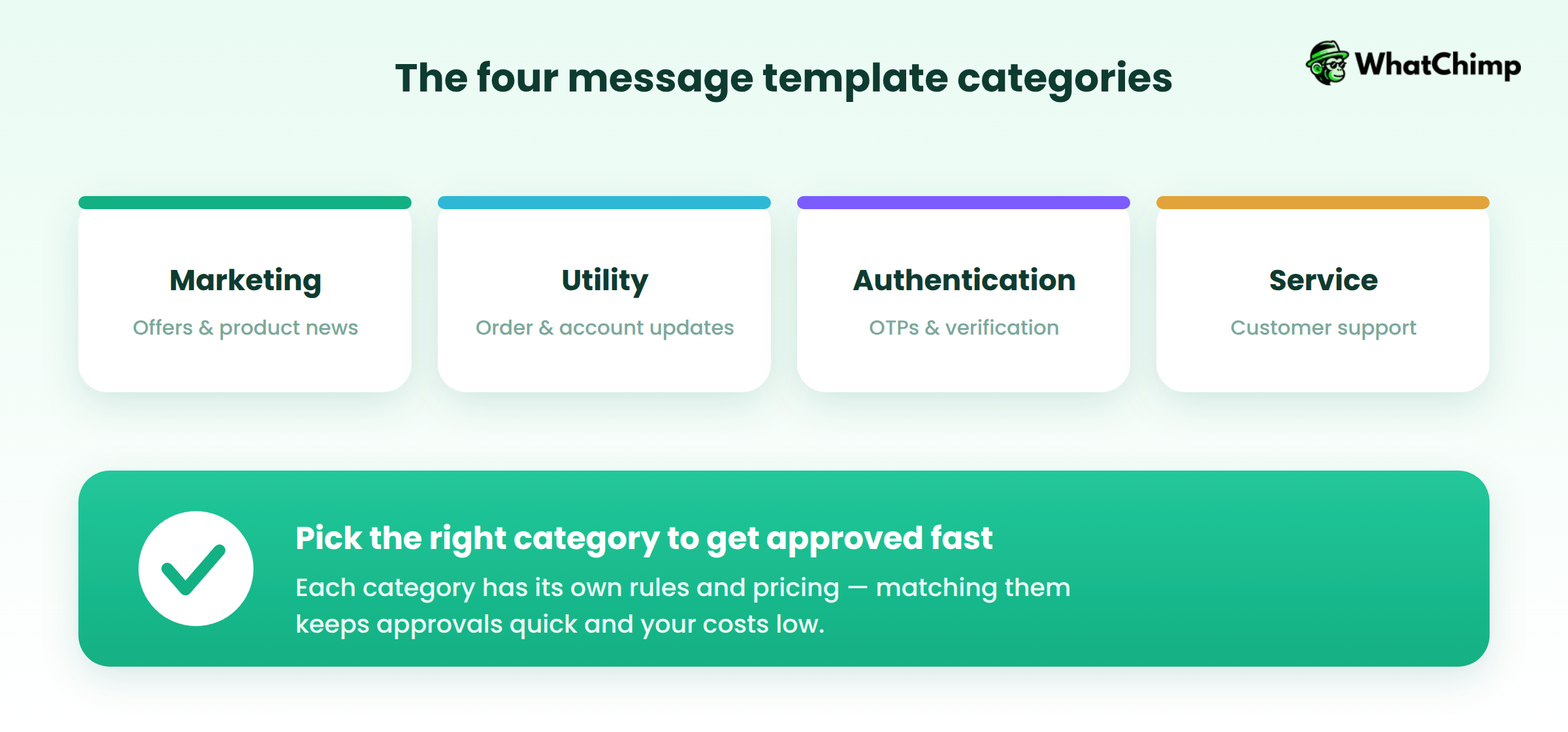
Templates fall into four categories:
🟢Marketing: Promotional offers, product announcements, sales campaigns
🟢Utility: Account updates, order confirmations, appointment reminders, shipping notifications
🟢Authentication: One-time passwords, verification codes, login confirmations
🟢Service: Customer support responses, policy updates, service notifications
Each category has specific guidelines and different pricing, so choosing the right category matters for both compliance and cost efficiency.
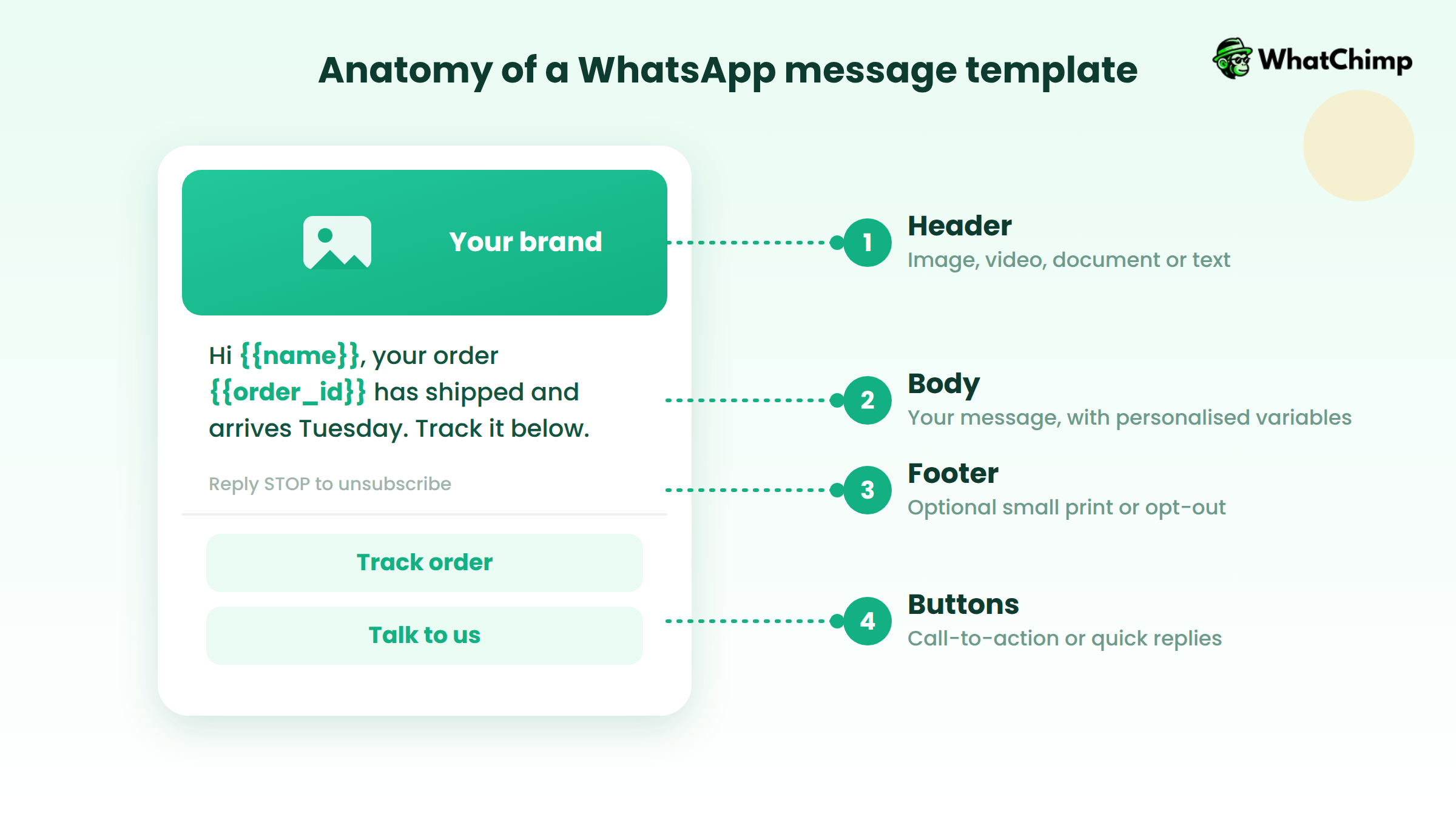
Every WhatsApp message template consists of up to four components as mentioned in the image above.
Mastering templates is essential for WhatsApp campaign success. Invest time upfront to create compliant, high-quality templates, and you’ll build a library of proven messages that drive consistent results.
4. Segment Your Audience for Maximum Relevance
Sending the same message to your entire Prospect list is one of the fastest ways to kill engagement and drive unsubscribes.
Generic, one-size-fits-all campaigns perform dramatically worse than targeted, segmented messaging.
When you segment your audience and send tailored messages based on their behavior, preferences, or stage in the customer journey, you’re showing customers you understand their needs.
This relevance builds trust, increases engagement, and drives conversions.
Effective segmentation uses multiple data points to create highly targeted audience groups:
💡Behavioral Segmentation: Purchase history, website activity, email engagement, cart abandonment, product interests.
💡Demographic Segmentation: Age, location, gender, language, job title.
💡Firmographic Segmentation (B2B): Company size, industry, revenue, employee count, decision-maker role.
💡Psychographic Segmentation: Interests, values, lifestyle, brand affinity, purchasing motivations.
💡Customer Journey Stage: New leads, engaged prospects, first-time buyers, repeat customers, VIPs, churned users.
Practical Segmentation Examples
Here’s how to apply segmentation to real campaigns:
🟢 New Subscribers (Last 7 Days) → Welcome Series
Send an automated 3-message welcome sequence introducing your brand, delivering promised incentives, and encouraging first purchase.
🟢 Cart Abandoners (Last 24 Hours) → Recovery Offer
Target customers who added products but didn’t complete checkout with personalized reminders and limited-time discount codes.
🟢 High-Value Customers (Spent $500+) → VIP Offers
Reward your best customers with exclusive early access, special discounts, or premium product launches.
5. Leverage Automation Without Losing Authenticity
Automation is what transforms WhatsApp from a manual messaging tool into a scalable customer engagement platform.
Without automation, you’re limited by human capacity only able to handle as many conversations as your team can type.
With smart automation, you can scale personalized interactions to thousands of conversations simultaneously.
The key benefits:
🎯Scale personalization to handle thousands of conversations without hiring more staff
🎯Provide 24/7 instant responses when customers need help, regardless of time zones or business hours
🎯Free up your team to focus on complex queries, high-value sales, and relationship building
🎯Deliver consistent brand experience with standardized responses that maintain quality across all interactions
The goal is to handle repetitive tasks automatically so your team can focus on conversations that truly need human expertise.
| Automate These | Why Automation Works | Keep These Human | Why Humans Are Essential |
| Welcome Messages | Instant greeting, deliver incentives, set expectations the moment subscribers opt in | Complex Complaints | Frustrated customers need empathy, problem-solving, and personalized resolution |
| FAQ Responses | Handle common questions (hours, pricing, shipping, returns) instantly 24/7 | High-Ticket Sales | Major purchases require relationship building, objection handling, consultation |
| Lead Qualification | Ask systematic questions about needs, budget, timeline before routing to sales | Sensitive Account Issues | Password resets, billing disputes need human verification and careful handling |
| Appointment Booking | Check availability, select time slots, confirm bookings conversationally | Empathy-Required Situations | Upset or confused customers need emotional support only humans provide |
| Order Tracking | Provide instant shipping updates when customers ask “Where’s my order?” | Escalated Problems | When automation fails or customers request human help, seamless handoff is critical |
| Payment Confirmations | Send automatic receipts, invoices, transaction notifications |
Automation done right makes your business more responsive, more scalable, and more profitable without sacrificing the personal touch customers value.
WhatChimp AI Chatbot: Your 24/7 WhatsApp AI Agent
WhatChimp’s chatbot feature stands out as one of the most powerful automation tools for WhatsApp campaigns, designed to transform how businesses handle customer inquiries, qualify leads, and provide support around the clock.
Two-Tier Chatbot System
WhatChimp offers two distinct chatbot solutions to meet different business needs.
1. Custom WhatsApp Chatbots (No-Code Builder)
The platform provides a no-code bot builder that allows businesses to create custom conversation flows without any technical knowledge or programming skills.
This is perfect for businesses that want to:
- Automate FAQ responses for common customer questions
- Guide customers through specific processes such as booking, ordering, or customer support
- Qualify leads systematically before routing them to sales teams
- Collect customer information step-by-step in a conversational manner
The chatbot builder uses a visual, drag-and-drop interface that makes it accessible to marketers, support teams, and business owners without requiring developers.
2. AI Agent (Advanced OpenAI Integration)
WhatChimp’s AI Agent represents their most sophisticated chatbot offering. This feature allows businesses to build an intelligent WhatsApp AI agent trained specifically on their business data.
Key capabilities include:
Train on Your Business Content
Upload your website content, and the AI learns your business inside and out, enabling it to answer questions based on your knowledge base.
Natural Conversation Handling
Powered by OpenAI integration, the AI chatbot delivers human-like conversations that feel authentic rather than robotic.
24/7 Availability Without Human Intervention
The AI agent operates continuously, handling incoming sales inquiries, answering support questions, and engaging prospects even when your team is offline.
No Technical Skills Required
Despite its advanced capabilities, setting up the AI agent requires zero coding knowledge. The platform handles all the technical complexity behind the scenes.
Real-World Impact
E-Startup India Case Study
Pulkit Gupta, Founder of E-Startup India, shared how they completely replaced their traditional landing page funnel with a Click-to-WhatsApp approach powered by WhatChimp’s chatbot:
“Earlier, we had a full setup with landing pages, forms, and thank-you pages. But we noticed people drop off or never submit the form. So we replaced everything with a simple Click to WhatsApp funnel. Now, we just run ads that take people directly to WhatsApp. And once they message us, WhatChimp’s chatbot takes over. It asks the right questions, qualifies them, and even routes them to our team based on what they need.”
Why WhatChimp’s Chatbot Stands Out
- No Coding Required: Unlike many enterprise chatbot solutions that require developer resources, WhatChimp’s platform is designed for non-technical users.
- AI Training on Business Data: Most chatbot platforms offer generic AI or require manual programming of every response. WhatChimp’s AI agent learns directly from your business materials.
- Official WhatsApp Business API: The chatbot operates through Meta’s official API, ensuring compliance, reliability, and zero ban risk unlike unofficial chatbot tools.
- Seamless Human Handoff: The transition from bot to human is smooth, with full conversation context preserved so agents can pick up exactly where the bot left off.
- Cost Efficiency: By automating routine inquiries with the chatbot, businesses dramatically reduce the workload on human agents, allowing smaller teams to handle much larger conversation volumes without sacrificing quality.
WhatChimp’s chatbot feature represents a comprehensive automation solution that bridges the gap between basic scripted responses and expensive enterprise AI systems.
It delivers powerful, intelligent automation at an accessible price point with zero technical barriers to entry.
6. Design Drip Campaigns That Nurture and Convert
Drip campaigns are a series of automated WhatsApp messages sent over time, either triggered by specific customer actions or scheduled at predetermined intervals.
Think of drip campaigns as a sequence of conversations that unfold naturally over days or weeks, each message building on the previous one to educate, engage, and ultimately convert subscribers into customers.
Examples of drip campaign frameworks:
Welcome Series (Days 0, 2, 5, 7)
| Day | Message Focus |
| Day 0 | Immediate welcome + deliver first value (discount code, free resource) |
| Day 2 | Introduce product/service benefits and how they solve customer problems |
| Day 5 | Share customer success story or case study with results |
| Day 7 | Special offer or clear CTA to make first purchase |
Re-Engagement (Days 30, 45, 60)
| Day | Message Focus |
| Day 30 | “We miss you” message acknowledging their inactivity |
| Day 45 | Special comeback offer exclusive to inactive subscribers |
| Day 60 | Last chance message before removing from active list |
Drip campaigns transform WhatsApp from a broadcast channel into a nurturing engine that converts cold prospects into warm leads and loyal customers over time.
7. Combine WhatsApp with Paid Ads for Instant Lead Capture
Traditional advertising funnels are broken.
The typical path loses interested prospects due to friction at every step.
Each click, each page load, each form field is an opportunity for potential customers to abandon the process.
Traditional Funnel
↓
Landing Page
↓
Form
↓
WhatsApp Funnel
↓
WhatsApp Chat
↓
Conversation
↓
Sale
Click-to-WhatsApp ads eliminate this friction entirely, reducing drop-off and putting you in direct conversation with interested prospects within seconds.
Instead of hoping someone fills out a form and then trying to reach them later, you’re engaging them the moment they express interest when buying intent is highest.
The Post-Click Experience
The moment someone clicks your ad, the customer experience needs to be flawless:
⚡Automated Greeting Within 30 Seconds
Send an instant automated message: “Thanks for reaching out! I’m here to help. What brings you in today?”
⚡Qualification Chatbot Asks Key Questions
Use conversational automation to understand their needs: budget, timeline, specific challenges, or product interests.
⚡Route to Right Team Member Based on Need
Automatically assign conversations to sales, support, or specific product specialists based on their responses.
⚡Response Time Target: Under 1 Minute
Whether automated or human, the first meaningful response should happen within 60 seconds to maintain momentum.
Take a look at some ad copy that can drive WhatsApp Clicks:
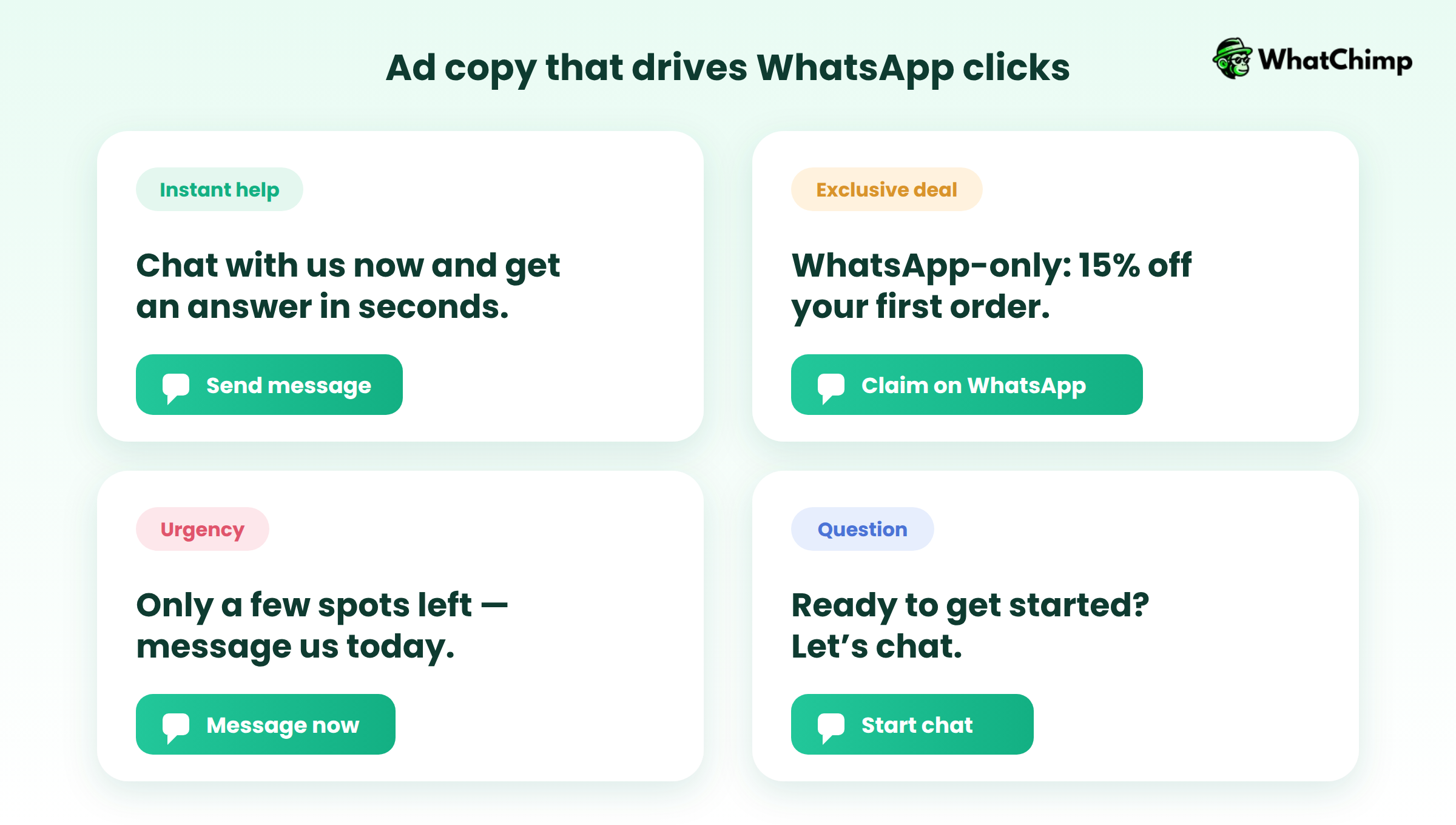
Click-to-WhatsApp ads transform paid advertising from lead generation into instant conversation generation, dramatically shortening sales cycles and improving conversion rates.
8. Integrate WhatsApp Across Your Tech Stack
WhatsApp campaigns become exponentially more powerful when connected to your existing business systems.
Isolated, standalone WhatsApp is just another messaging tool.
Integrated WhatsApp becomes the central nervous system of your customer communication strategy.
Connecting WhatsApp to your CRM creates a unified system of record for all customer interactions.
E-commerce businesses see immediate ROI from WhatsApp integration:
👉Abandoned cart recovery automation sends personalized reminders with cart links
👉Order confirmation messages provide instant purchase reassurance
👉Shipping and delivery updates keep customers informed throughout fulfillment
👉Post-purchase review requests arrive at optimal timing for maximum response
👉Restock notifications alert interested customers when sold-out items return
Here’s how integration creates powerful automated workflows:
E-commerce Purchase Flow
New Shopify Order → WhatsApp Confirmation Sent → Contact Added to CRM → Schedule 7-Day Follow-Up → Trigger Review Request on Day 14
Lead Capture Flow
Website Form Submission → Create Contact in CRM → Send WhatsApp Welcome Message → Start 7-Day Drip Campaign → Assign to Sales Rep After Engagement
Integration transforms WhatsApp from an isolated channel into a connected platform that amplifies the effectiveness of every other system in your tech stack.
Conclusion: Start Your WhatsApp Campaign Journey Today
WhatsApp is the future of customer communication.
WhatsApp delivers results that traditional channels simply can’t match.
But success requires the right foundation.
The businesses winning with WhatsApp in 2026 are those who started with proper infrastructure, prioritized compliance, and focused on genuine customer conversations over mass broadcasting.
Ready to Launch Your WhatsApp Campaigns?
WhatChimp makes getting started simple and affordable. As a verified Meta Business Partner, WhatChimp provides:
✅ Official WhatsApp Business API access with guaranteed compliance
✅ 10-second template approvals (vs. hours or days with competitors)
✅ 0% markup fees on Meta’s API rates—save up to 35% per conversation
✅ AI chatbots that train on your content without coding
✅ Priority Meta support for any issues that arise
✅ Complete integrations with CRM, e-commerce, and support platforms
Stop losing customers to cluttered email inboxes and unanswered phone calls.
Meet them where they already are—on WhatsApp.
Start Your Free Trial with WhatChimp Today →
Your customers are waiting. It’s time to start the conversation.