Create WhatsApp link for free: the complete wa.me guide
Create WhatsApp link for your number in under a minute. Get the official wa.me format, pre-filled messages, the 3 official link types and where to use them.

On this page
What this guide covers
- Key takeaways
- What is a WhatsApp link (wa.me link)?
- How to create WhatsApp link manually in 3 steps
- How to create a WhatsApp link with text
- Three official ways to create a WhatsApp link
- Where should you put your WhatsApp link?
- What a WhatsApp link is NOT
- How to create WhatsApp link for business, and handle the chats it brings
- Conclusion
- FAQs
Key takeaways
- You can create WhatsApp link for free: type https://wa.me/ and then your full international number. No plus sign, no spaces, no dashes.
- Add ?text= and a URL-encoded message (%20 for every space, for example), and the chat opens with your customer’s first line already typed for them.
- A plain wa.me link works with any WhatsApp account. The Business app Short Link and the API short links go further: they hide your number and you can edit the message later.
- A link can’t capture anyone’s number until they tap send. So give every placement its own pre-filled message, and you’ll know which one brought the chat in.
- Meta doesn’t charge for messages customers send you, so the real work starts when the chats arrive.
What if I told you 3 billion people are one tap away from messaging your shop?
WhatsApp passed more than 3 billion monthly users in 2025, according to Mark Zuckerberg.
Your customers are already there.
But look at what they have to do today. Your Instagram bio says “DM for price”. Your website shows a phone number. So people have to save it, open WhatsApp, search for you and then type something. Most of them won’t bother.
This guide shows you how to create WhatsApp link for your number in under a minute, add a ready-typed message, pick between the three official link types and handle the chats that come in. The basic link needs no tool and no signup.
Here’s the format.
What is a WhatsApp link (wa.me link)?
A wa.me link is WhatsApp’s own click to chat address. Someone taps it, WhatsApp opens a chat with your number, and they never have to save you as a contact.
That’s why people also call it a WhatsApp direct message link.
According to WhatsApp’s Help Center, the format is `https://wa.me/<number>`, where the number is “a full phone number in international format.”
But can’t I just use my regular WhatsApp for this?
Yes. A plain wa me link works with a personal or a business account. You only need the WhatsApp Business app or the API for the extra link types further down.
How to create WhatsApp link manually in 3 steps
That’s all a free WhatsApp link generator does behind the scenes. No magic. Once you know the rule, you can build a link anywhere: your Notes app, a spreadsheet, even a chat with your designer.
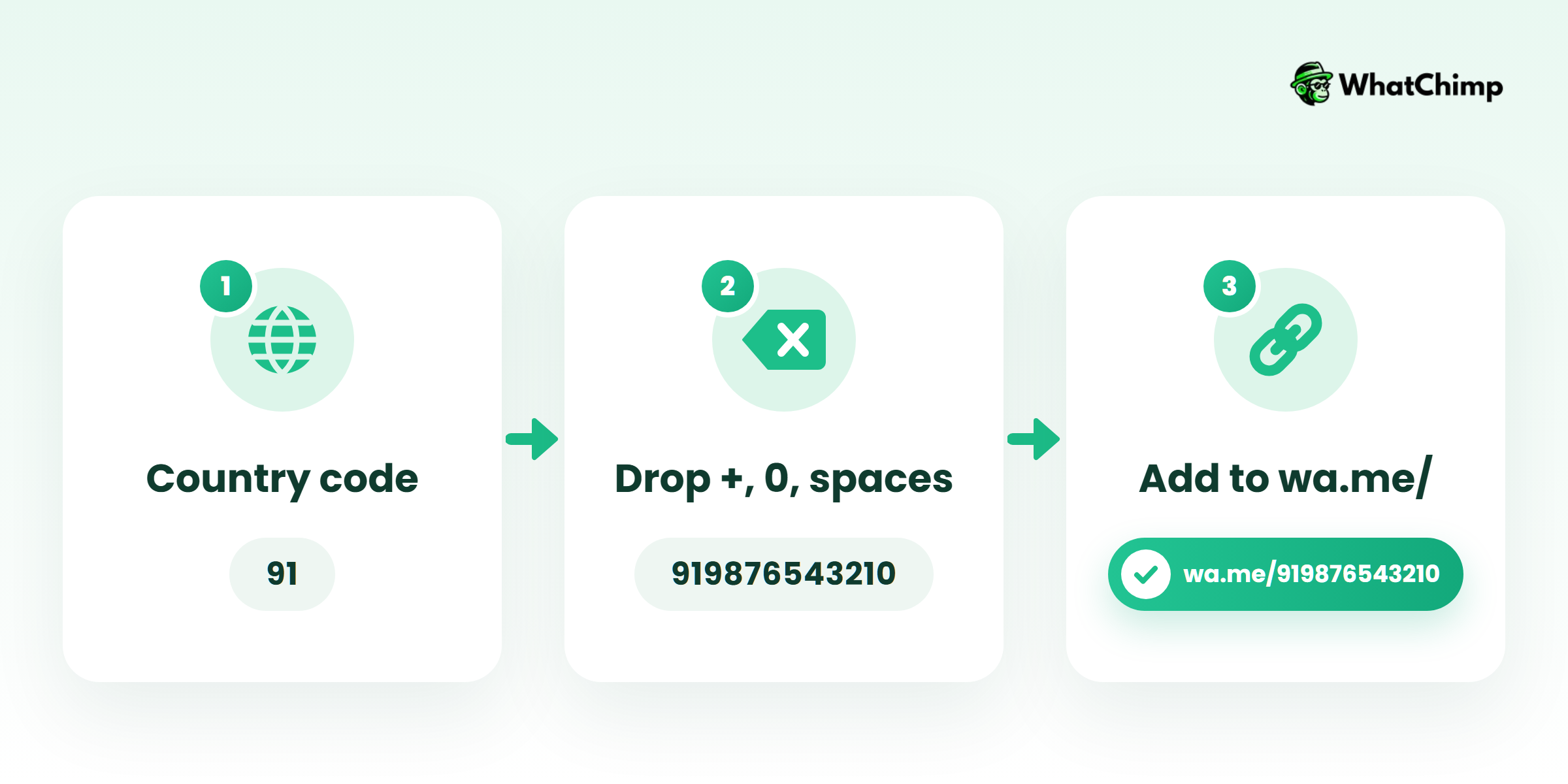
Step 1: Put your number in international format
Time required: 1 minute
- Start with your country code. Skip the plus sign.
- Drop the leading 0 you’d dial locally.
- Remove every space, bracket and dash.
| Country | How you’d write it locally | What goes in your link |
|---|---|---|
| India | 098765 43210 | 919876543210 |
| UK | 07700 900123 | 447700900123 |
| UAE | 050 123 4567 | 971501234567 |
| US | (555) 123-4567 | 15551234567 |
These are dummy numbers. Swap in your own.
Pro tip: Some generators tell you Indian numbers can skip the 91. Don’t. WhatsApp wants the full international number, every single time.
Step 2: Add it after https://wa.me/
Time required: 10 seconds
- Type `https://wa.me/`
- Paste your number right after the slash: `https://wa.me/919876543210`
Here’s WhatsApp’s own example of a link that breaks: `https://wa.me/+001-(XXX)XXXXXXX`. The plus, the dashes, the brackets? Every extra character kills it.
Step 3: Test it before anyone else sees it
Time required: 1 minute
- Send the link to a friend first.
- Get them to tap it on their phone, then on their laptop.
- Make sure the chat opens with your number.
What you get:
- ✅ A working WhatsApp direct message link
- ✅ No app to install and nothing to pay
How to create a WhatsApp link with text
Tap a WhatsApp link with text and the chat opens with a message already sitting in the box. You just add `?text=` and your message after the number:
`https://wa.me/919876543210?text=Hi%20I%20want%20to%20order`
The catch is URL encoding. A link can’t hold raw spaces or some symbols, so each one gets written as a code.
| Character | Write it as |
|---|---|
| Space | %20 |
| Line break | %0A |
| & | %26 |
| ? | %3F |
| 👋 | %F0%9F%91%8B |
A raw & cuts your message off at that point, and raw spaces often break once you paste the link into a bio or an email.
Want people to forward an offer to friends instead? Leave the number out: `https://wa.me/?text=yourmessage`. WhatsApp’s FAQ says the user will “be shown a list of contacts you can send your message to.”
Pre-filled messages that tell you where the chat came from
This is the MOST useful trick in the whole guide.
Instead of: “Hi”
Use: “Hi! I saw your Diwali post on Instagram and want the price of the gift hamper”
Copy these and edit them:
- Order: “Hi, I’d like to place an order. Found you on Instagram.”
- Booking: “Hi, I want to book an appointment this week. Came from your website.”
- Support: “Hi, I need help with my order. My order number is:”
- Price list: “Hi, please send me your price list. I picked up your flyer.”
- Reorder: “Hi, I scanned the QR on my parcel and want to reorder.”
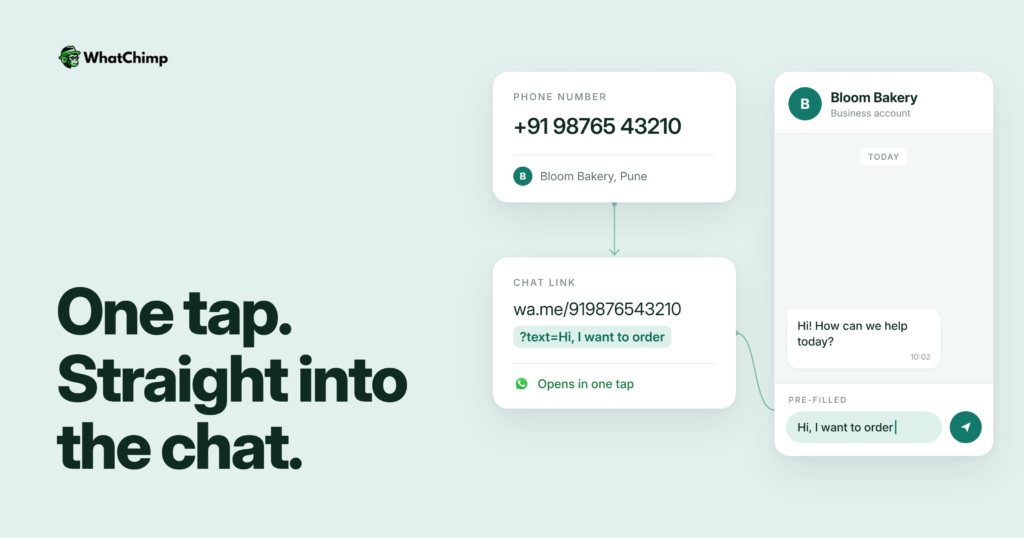
Example in action: Priya runs a cake shop in Pune. Her Instagram link says “…from Instagram” and the QR on her counter says “…scanned the counter QR”. After one week she knows which one brings more orders, without any analytics tool.
Three official ways to create a WhatsApp link
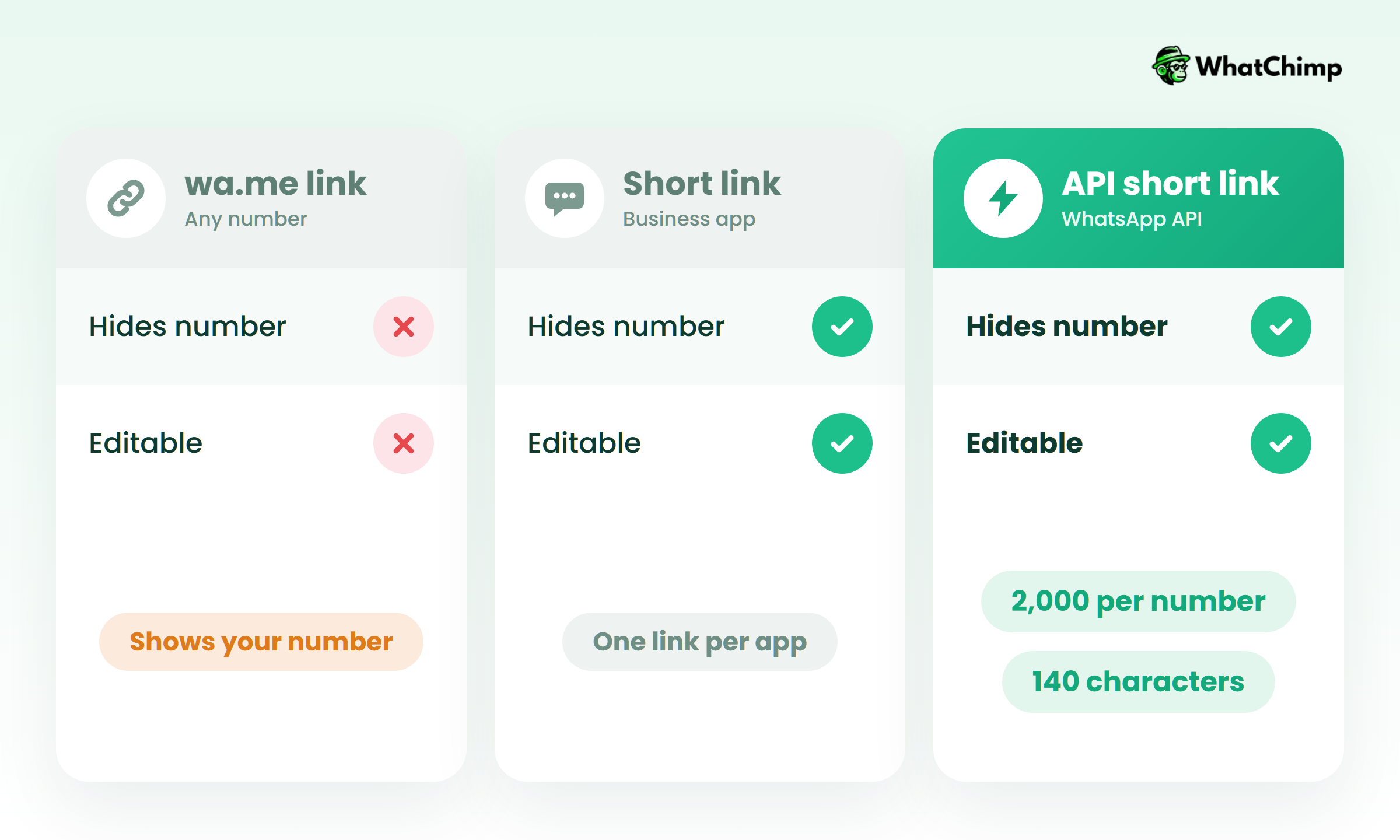
| wa.me link | Business app Short Link | API short link and QR | |
|---|---|---|---|
| Who can make it | Any WhatsApp account | WhatsApp Business app | WhatsApp Business Platform |
| Number visible in link | Yes | No | No |
| Edit the message later | No, make a new link | Yes | Yes, or delete it |
| Limits | None stated | None stated | 2,000 per number, 140 characters |
Third-party guides put the Business app’s Short Link under Settings (or More options) > Business tools > Short link. You’ll get a `wa.me/message/…` address, with an optional default message. Menus move around, though. Check the path in your own app.
API links come from Meta’s QR code and short link docs. Each number can have up to 2,000, they “do not expire automatically,” and Meta can generate the QR image as a PNG or SVG for you.
Where should you put your WhatsApp link?
Anywhere a customer is already thinking about buying:
- Your Instagram, Facebook and X bios (bios, not captions)
- A “Chat on WhatsApp” button on your website, pointing at your wa.me address
- Your email signature, SMS campaigns and Google Business Profile
- Packaging, flyers and your shop counter, as a QR code made from the link
- Click-to-WhatsApp ads on Facebook and Instagram
What a WhatsApp link is NOT
A few competitors oversell this, so here’s the honest version.
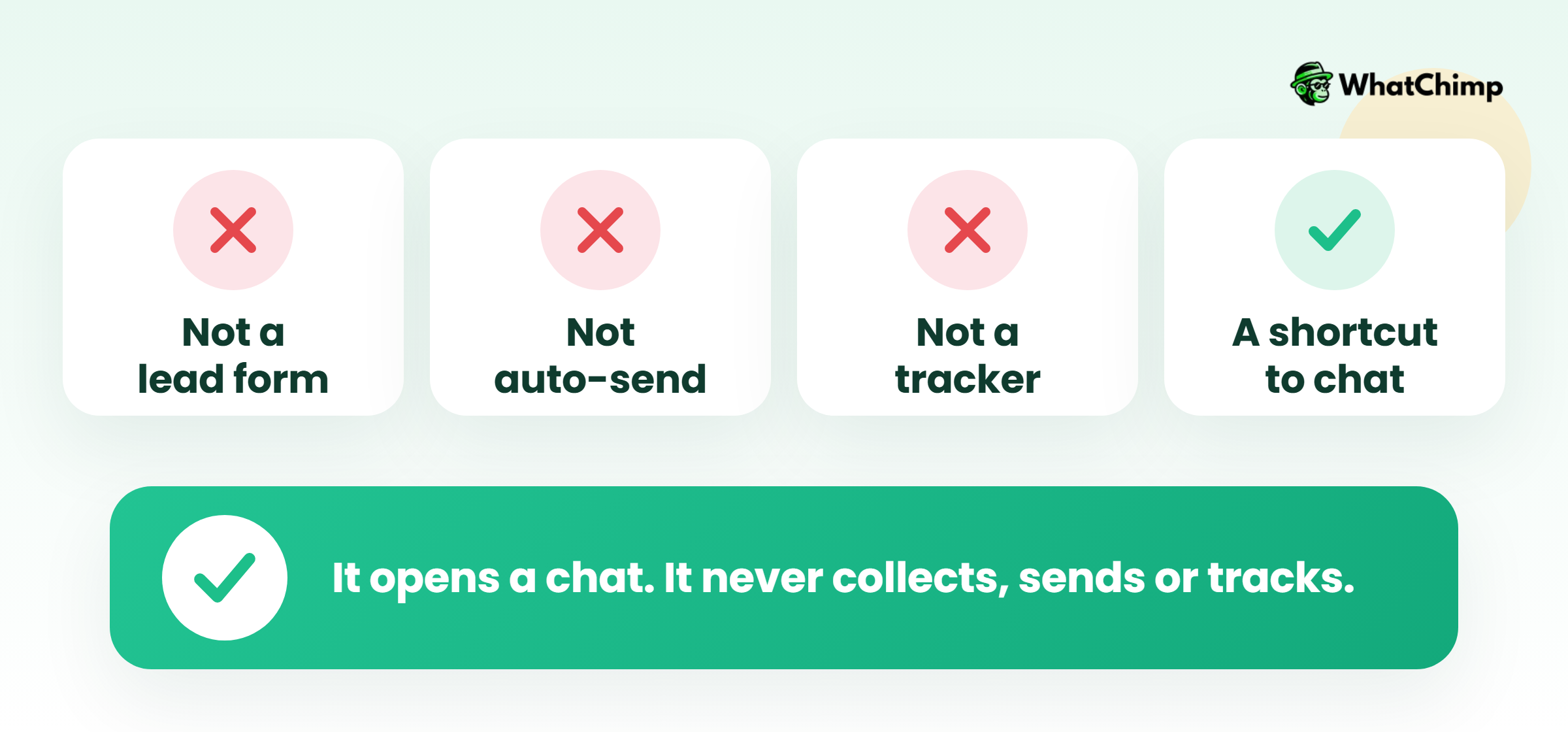
- ❌ It’s not a lead form. You only see the customer’s number once they send the message.
- ❌ It doesn’t send anything for them. They can still edit the pre-filled text, and they still have to tap send.
- ❌ It won’t track anything. Meta says it plainly: “Analytics are not available for QR Codes and Short Links.”
- ✅ It’s a shortcut into your chat. What happens next is up to you.
How to create WhatsApp link for business, and handle the chats it brings
1. Messages from customers cost you nothing
Meta’s pricing page says “Meta does not charge for messages from users to businesses.” Their message also opens a 24-hour customer service window for your replies.
2. Your first 1,000 service replies each month are free
Meta gives each business number 1,000 free service messages a month. They don’t roll over. After that, Meta charges per message, and our WhatsApp Business API pricing guide breaks down the rates.
3. Ad clicks get up to 7 days of free messaging
When someone messages you from a Click-to-WhatsApp ad in the Android or iOS app, Meta’s free entry point window “may remain open for up to 7 days.” During that window, Meta doesn’t charge for marketing, utility, authentication or service messages.
4. Every link chat lands in one inbox your team shares
Once your link works, the chats start piling up. That’s where most shops struggle.
With WhatChimp, which is built on the official WhatsApp Business API, your team logs into a shared inbox in the browser and answers from the same number. An AI chatbot can reply to “send me your price list” at 2am, and your pre-filled source tags tell everyone where each chat came from.
Example in action: Rahul’s salon link reads “Hi, I want to book a haircut”. The chatbot replies with open slots through appointment booking and Rahul just sees the confirmed booking.
We charge 0% markup on Meta’s conversation fees. Want to try it first? Start a 7-day free trial. No credit card needed.
Conclusion
So now you know the wa.me format. You know how to add encoded text. And you know which of the three official link types fits you.
Today, create WhatsApp link for your bio with a source-tagged message. Then decide how you’ll answer the chats. If you want a team inbox and chatbot ready for them, see WhatChimp’s plans.
So where will your first link go?
FAQs
Is it free to create a WhatsApp link?
Yes, a wa.me link is completely free. You type it yourself and pay nothing to WhatsApp. Customers messaging you through it are free too, as Meta doesn’t charge for user-to-business messages.
Can I make a WhatsApp link without WhatsApp Business?
Yes. A plain wa.me link works with a regular WhatsApp account. You need the Business app for a Short Link that hides your number, and the Business Platform for API short links and QR codes.
Can I change the message once I’ve shared the link?
It depends on which link you used.
| Link type | Editable? |
|---|---|
| wa.me | No, create a new one |
| Business app Short Link | Yes |
| API short link | Yes, or delete it |
How do I hide my number in the link?
Use the Business app Short Link or an API short link. Both swap your number for a `wa.me/message/…` address. People only see your number once the chat opens.
Is a free WhatsApp link generator safe to use?
Yes, mostly, but check what it gives you. A link starting with `https://wa.me/` and your number goes straight to WhatsApp. A link on the tool’s own domain only works for as long as that company keeps it running.
How do I tell which link a customer came from?
Give each placement its own pre-filled message. Simple. “Found you on Instagram” and “scanned the counter QR” tell you the source the moment the chat lands. Meta’s own short links don’t include analytics.
Is there a character limit for pre-filled text?
Yes, for API QR codes and short links: 140 characters. Meta doesn’t state a limit for plain wa.me links. Short messages are easier for customers to send anyway.