
WhatsApp message for event invitation: copy-paste templates and how to send them
Copy-ready WhatsApp message for event invitation templates for weddings, birthdays, engagements and business events, plus how to send and track RSVPs.

On this page
What this guide covers
- Key takeaways
- What goes into a good WhatsApp invitation message?
- How do you write a WhatsApp message for event invitation? Templates by occasion
- What follow-up messages get people to actually RSVP?
- How to send invitation on WhatsApp: 4 ways compared
- What a WhatsApp invite is NOT: 4 myths
- How do you send event invitations in bulk the right way?
- Conclusion
- FAQs
Key takeaways
- A good WhatsApp message for event invitation tells people what’s on, when, where (drop a map link) and who’s hosting. Then it asks them to RSVP by a date you actually name.
- Inviting friends and family to a wedding, birthday or engagement? Skip the fancy tools. The regular WhatsApp app and its Events feature will do the job.
- A WhatsApp broadcast list tops out at 256 contacts, and it only reaches people who’ve saved your number. Bigger guest list than that? You’ll need the WhatsApp Business API.
- Sending as a business? Get opt-in before any invitation goes out, and open every conversation with a template Meta has approved.
- The invite is just message one. After that comes a nudge for the people who haven’t replied, then a reminder the day before, then a thank-you once it’s over. Plan those now.
What if I told you the regular WhatsApp app caps a broadcast at 256 people? And that only the people who’ve saved your number will even get it?
You’d probably think that’s plenty.
It is, until you’re inviting 400 guests to your daughter’s wedding or 900 customers to a store launch.
Here’s what usually happens. You find a WhatsApp message for event invitation online and paste it in. You send it chat by chat, or dump it in one giant group. Then you spend the next two weeks scrolling back up, trying to work out who actually said yes.
Half the replies? A thumbs-up emoji. Some never come at all.
I’m Anant, and I run WhatChimp. We’ve helped businesses send a lot of invitations, and this guide covers both halves of the problem. You’ll get copy-ready invitation messages for weddings, engagements, birthdays, family functions and business events. You’ll also get the follow-ups that actually bring RSVPs in, and a plain comparison of every way to send them, from a single chat to a list of thousands.
First, the message itself.
What goes into a good WhatsApp invitation message?
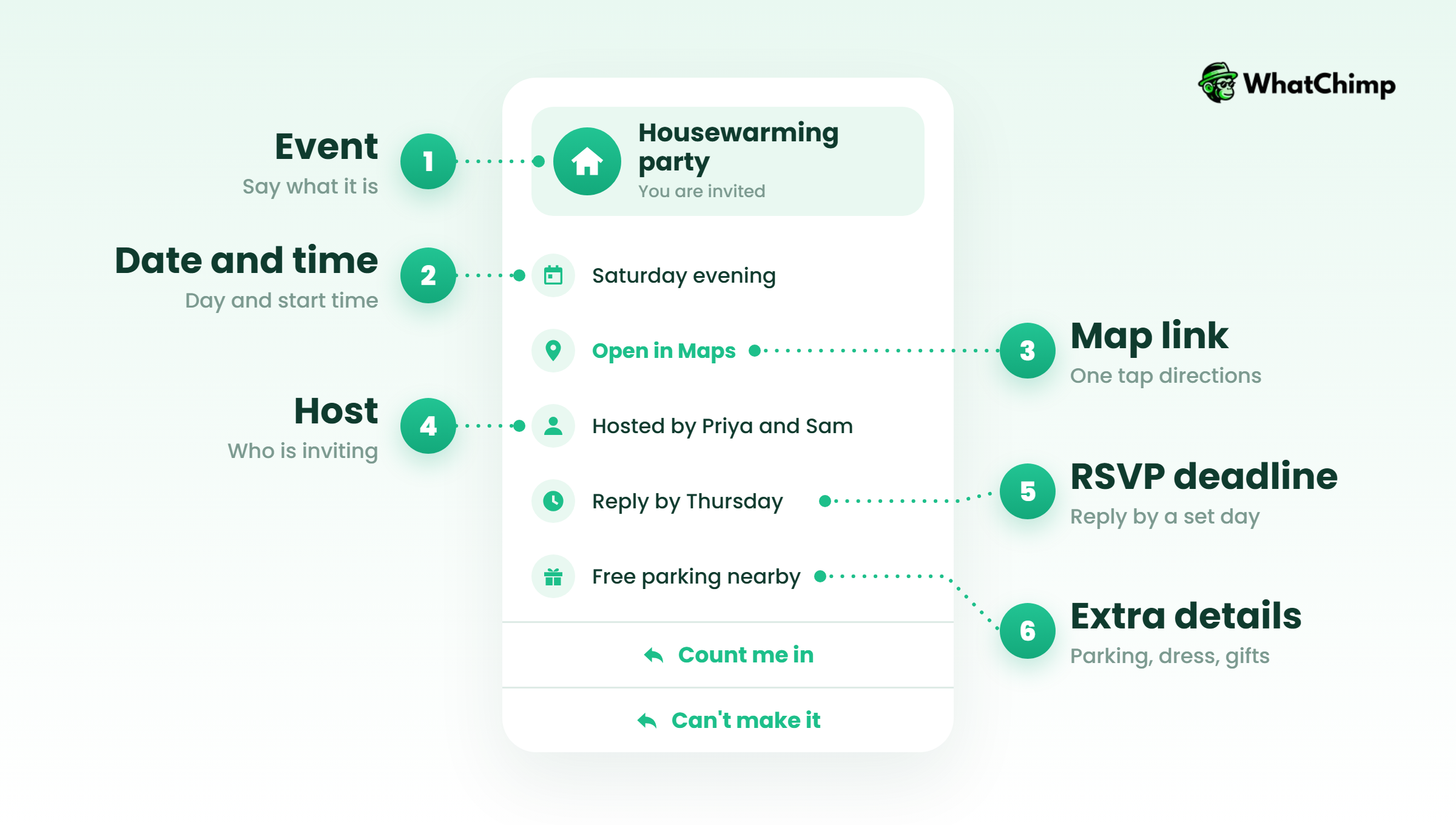
It needs six things. Miss one and half your guests will reply “which venue?”
- What the event is, plus whose event it is.
- The day, the date and the start time.
- The venue, with a Google Maps link.
- Who is inviting them, signed with a name.
- An RSVP ask with a deadline, so people actually answer. “Reply by Wednesday” is plenty.
- Anything that saves you a phone call later. A dress code, parking details, a number guests can ring on the day.
Instead of: “Party at ours on Saturday, come!”
Use: “Hi Rohan! We’ve got a new flat, and we’re having a housewarming there on Saturday, 12 December, from 7 pm. Address and map: [link]. Yes or no by Wednesday? I need to know how much biryani to order. Anant”
The second one answers every question before anyone has to ask it.
Short is better. If your guest has to scroll, it’s too long. An emoji or two is fine. Got an e-card image or a short video? Great, but the text goes along with it. It doesn’t replace it.
Pro tip: Put the date and venue in the text as well as on the e-card. On the morning of the event your guests will search their chats for “venue”, and a picture won’t come up.
How do you write a WhatsApp message for event invitation? Templates by occasion
Every invitation WhatsApp message below is copy-paste ready. Swap the [bracketed] bits for your own details and hit send. That’s it.
Short one-liners for any event
- “Hi [Name]! We’re throwing a little something for [event] and it just won’t be the same without you. Save [day, date], [time], at [venue]. Can you let me know by [date]?”
- “Guess what? You’re on the list for [Event]! It’s [date] at [time], and here’s the map: [map link]. Reply yes and your seat’s saved.”
- “Hey [Name], having a few people over on [date] from [time]. Good food, good company. You in?”
Wedding invitation message for WhatsApp in English (for elders and family)
- “Dear [Name] ji, with our elders’ blessings, we warmly invite you and your family to our son [Groom]’s wedding with [Bride] on [date] at [venue]. The muhurat is at [time]. Please come and bless the couple. It would mean so much to have you there. With regards, [Parents’ names]”
- “Dear [Name], it’s finally happening! [Bride] and [Groom] are getting married and we’d love you there. [date], [venue], [city]. The full invite and schedule are here: [link]. Could you RSVP by [date]? It helps us plan properly for you.”
Wedding invitation for friends, colleagues and the group chat
- “Okay, it’s official: we’re getting married 💍 [date], [city]. Put in for leave now and get those dancing shoes ready. Details and RSVP: [link]”
- “Hi team, personal news time. I’m getting married on [date]! The reception’s at [venue] from [time], and I’d love for you all to come. Could you tell me by [date] if you can make it?”
- Hindi: “Hum aapko aur aapke parivaar ko [Groom] aur [Bride] ki shaadi mein saadar aamantrit karte hain. Tareekh: [date]. Sthaan: [venue]. Aap aayenge toh hamari khushi sabse badi hogi.”
Engagement invitation message for WhatsApp
- “Dear [Name], big news: [Name] and [Name] are getting engaged! Come be part of the ring ceremony on [date] at [time], [venue]. Do let us know by [date]. [Host names]”
- “She said yes! 💍 Come and celebrate our engagement on [date], [time] at [venue]. Reply yes, and bring your appetite.”
Birthday invitation message on WhatsApp
- Kids: “Hi [Parent name]! [Child] is turning [age] 🎈 Party’s on [date], [time] at [venue]. Games, lots of cake, a little chaos. Can you let us know by [date]? Oh, and any food allergies we should know about?”
- Milestone: “[Name] turns 50! Join us for dinner and a few embarrassing stories on [date] at [venue], [time]. Please confirm by [date].”
- Surprise: “Shh 🤫 It’s a surprise party for [Name]! [date], [venue]. Get there by [time], and not a word to them. Reply yes so we can count you in.”
Invites for a housewarming, a puja or any family function
- Griha pravesh (Hinglish): “Namaste [Name] ji! [date] ko hamare naye ghar ka griha pravesh hai. Subah [time] baje puja rakhi hai, phir sab saath baith ke lunch karenge. Address: [map link]. Aap zaroor aaiyega!”
- Puja: “Hi [Name], we’re doing a Satyanarayan puja at home on [date] at [time]. Prasad and lunch after. Here’s where to find us: [map link]. Do come with family.”
- Anniversary: “[Names] have made it to 25 years together! Come celebrate over dinner on [date] at [venue], [time]. RSVP by [date].”
Business event invitation messages
A business invitation message for event use works a little differently. If someone’s already chatting with you, you can send something natural like this:
- Store launch: “Hi [Name], big news! Our new store in [area] opens on [date]. Drop in from [time] for a first look, some chai and a launch-day offer just for our regulars. Map: [link]”
- Webinar: “Hi [Name], you’d asked for updates on [topic], so here’s your invite: a free live session on [date] at [time]. Want in? Reply ‘join’ and I’ll send you the link.”
- Conference: “Hi [Name], we’d love to see you at [event name] on [date] at [venue]. The first talk starts at [time], and lunch is on us. Reply yes and we’ll keep a pass aside for you.”
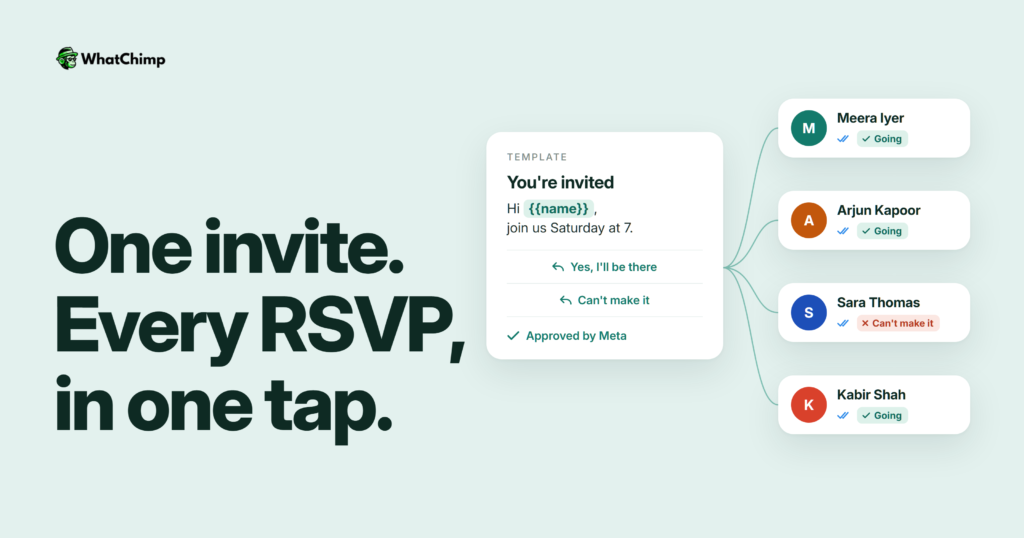
If you’re sending to a list through the WhatsApp Business API, the same invite has to become a Meta template, with variables in place of the brackets:
| Part | What you write |
|---|---|
| Header | Join us at {{1}} |
| Body | Hi {{2}}! Hope you can join us at {{1}}. It’s on {{3}} at {{4}}. Coming? Just tap a button below. |
| Footer | Reply stop to opt out |
| Buttons | “Yes, I’ll be there” / “Can’t make it” / “Get directions” (URL) |
Why bother? Because you can count taps. You can’t count thumbs-ups. Did that one mean “coming” or “nice photo”? With quick-reply buttons, you stop guessing.
What follow-up messages get people to actually RSVP?
One message almost never does it. People read it, think “I’ll reply later”, and later never comes. I’m guilty of it too.
Here’s the sequence I’d use for any event, personal or business:
| Message | When to send | Sample |
|---|---|---|
| Save the date | As soon as the date is fixed | “Save the date! [event], [date], [city]. Full invite coming soon.” |
| Invitation | Once the venue and time are confirmed | Any template above |
| RSVP nudge | A few days before your deadline | “Hi [Name], just checking: will you join us on [date]? Need final numbers by [date].” |
| Reminder | The day before, then 2 hours before | “See you tomorrow at [time]! Map: [link]. Parking at [spot].” |
| Change notice | The moment anything changes | “Quick update: [event] now starts at [new time]. Everything else stays the same.” |
| Thank-you | The next day | “Thank you for coming, [Name]! Photos here: [link].” |
Pro tip: Nudge only the people who haven’t replied. If someone’s already said yes, a “will you come?” message just annoys them.

How to send invitation on WhatsApp: 4 ways compared
But can’t I just use my regular WhatsApp?
For a family function? Sure. For 500 customers? No. Here’s how the options stack up:
| Method | Reach | RSVP tracking | Rules to know | Best for |
|---|---|---|---|---|
| WhatsApp Events (in a chat) | Members of that chat or group | Built in: Going, Maybe, Not going | One host per event | Weddings, birthdays, family functions |
| WhatsApp group | Large groups | Manual, by reading replies | Everyone sees everyone’s number and messages | Close friends, small teams |
| Broadcast list | 256 contacts per list | Manual | Recipients must have saved your number | A small shop with loyal regulars |
| WhatsApp Business API | Grows with your messaging limit | Buttons, forms, read receipts | Opt-in plus approved templates | Businesses, organisers, big guest lists |

1. WhatsApp Events: RSVPs counted for you
This is the most underused option, and the one I’d pick for any personal event.
Open the chat or group, tap the more options menu and pick Event. Only three things are required: the name, date and time. A description, a location or a call link? Totally optional. Then guests tap Going, Maybe or Not going, and WhatsApp counts the replies for you.
It just got better. In its November 2026 Events update, Meta said you can now invite people who aren’t on WhatsApp at all. They can RSVP without downloading the app. You also get custom reminders, and guests can bring a plus one. Can’t see all of this yet? Don’t worry. It’s rolling out slowly.
2. Groups: everyone in one place, chaos included
Groups are good for a sangeet with 40 cousins. The catch is that your guests see each other’s numbers, and one “congrats!!” turns into 200 notifications.
Going the group route? Add an Event inside the group. Otherwise the RSVPs get buried under all the chatter.
3. Broadcast lists: private, but with a cap
A broadcast arrives as a normal one-to-one chat, so it feels personal. The catch? WhatsApp’s help centre lists the limits. 256 contacts per list, max. It only delivers to people who saved your number. And it doesn’t work on Web or desktop.
So if someone never saved your number, your invite never reaches them. And nothing tells you it failed.
4. WhatsApp Business API: when your guest list runs into the hundreds or thousands
Who’s this for? Venues, coaching institutes, event companies, retailers and wedding planners. Basically anyone sending at volume. You send approved templates from a platform, and guests reply with one tap on a button. You also see exactly who got each message and who read it.
What a WhatsApp invite is NOT: 4 myths
❌ “A broadcast list reaches everyone in my contacts.”
✅ It reaches only the people who saved your number, and at most 256 per list.
❌ “A business can message anyone whose number it has.”
✅ It can’t. The WhatsApp Business Messaging Policy says you may only contact people who have given you their number and “you have received opt-in permission from the recipient”. You must also honour every request to opt out.
❌ “Chrome extension bulk senders are a harmless shortcut.”
✅ They sit outside Meta’s official platform, so your number carries all the risk.
❌ “One great message is enough.”
✅ The invite gets attention, and the nudge and the reminder get people to turn up.
How do you send event invitations in bulk the right way?
This bit is for businesses. Inviting 30 relatives? Skip ahead to the FAQs.
Step 1: Get opt-in before you invite a single person
Time required: ongoing
This is the MOST important rule in this guide. Ask for permission where people already deal with you. A checkbox on your registration form does it. A sign-up at the counter works too. Or run a click-to-WhatsApp ad, where the guest messages you first.
- Add one line to your sign-up or registration form that asks for WhatsApp consent.
- Keep the list in Google Sheets, with a column noting when and where each person opted in.
- Remove anyone who replies “stop”, straight away.
Step 2: Turn your invite into an approved template
Time required: 5 to 10 minutes
- Hook up your WhatsApp Business number to WhatChimp.
- Create a new template and paste in the message body from the business section above.
- Swap names, dates and venues for variables. Add a header and a footer. Then add quick-reply buttons, and keep the labels short.
- Submit it for approval and wait for the go-ahead.
Meta reviews every template before you can use it. On WhatChimp, approvals usually come back in about 10 seconds.
Step 3: Send to the right people, at a pace WhatsApp allows
Time required: 5 minutes
- Import your opted-in list. Then split it by city, interest or who came last time.
- Schedule the bulk WhatsApp broadcast days or even weeks ahead. Each guest’s name gets filled in for you.
There’s one limit you should know about. Newly created business portfolios start at 250 unique users per rolling 24 hours. You move up to 2,000 once you verify your business, or once you’ve sent 2,000 delivered template messages to unique users within 30 days.
Example in action: Priya runs a coaching institute and wants 600 parents at her free demo workshop. The catch? Her account is brand new, so she can only message 250 parents a day. She has two options. Verify the business first, or send to one of her three batches a day for three days. Either way, she starts early, so every parent has the invite a full week before the workshop.
Step 4: Collect RSVPs and let the follow-ups run on their own
Time required: 15 minutes, once
- Count the “Yes, I’ll be there” taps from your buttons, and tag each guest who replied.
- For headcount, meal choice or a plus-one, send an in-chat form and export the answers to Google Sheets.
- Set up WhatsApp automations for the RSVP nudge, the day-before reminder and the thank-you.
What you get:
✅ Delivery and read receipts for every invite
✅ RSVPs as a list, not a scroll through chats
✅ Guest questions like “is there parking?” answered in a shared team inbox, where your whole team logs in and replies from the same number
If you’ve got an event coming up and a list of people who asked to hear from you, you can set all of this up on WhatChimp’s 7-day free trial, with no credit card required.
Conclusion
You now have invitation messages for every kind of occasion, the follow-ups that bring RSVPs in, and a clear picture of which sending method fits your guest list.
For a family event, use WhatsApp Events and you’re done. For a business event, take your best invite today, turn it into a template on WhatChimp and schedule it to your opted-in list along with a reminder.
So, who’s on your guest list this time?
FAQs
How do I send an invitation on WhatsApp to many people at once?
Inviting up to 256 people? A broadcast list does the job. More than that, and you’ll need the WhatsApp Business API. Broadcast lists have two catches: they only reach people who’ve saved your number, and they only work in the phone app. With the API, you send approved templates to opted-in contacts and you can see who’s read them. You could use a group chat too. Just know every guest will see everyone else’s number.
Can I add RSVP buttons to a WhatsApp invite?
Yes, if you send through the WhatsApp Business API. Templates can carry quick-reply buttons like “Yes, I’ll be there” and “Can’t make it”, plus a link button for directions. On the regular app, WhatsApp Events gives guests Going, Maybe and Not going options instead.
Is it okay to send a wedding invitation message for WhatsApp in a group?
Yes, for close friends and cousins. Elders? Different story. They’d much rather get a personal message, just from you to them. So here’s what I’d do. Send those one-to-one invites first. Then, closer to the date, make a group just for logistics.
What if some guests don’t use WhatsApp?
Meta is rolling out invites to people who aren’t on WhatsApp through the Events feature, and those guests can RSVP without downloading the app. Until that reaches your phone, send those few guests an SMS or a call with the same details.
Do businesses need permission to send event invitations on WhatsApp?
Yes. Meta’s policy says you need the person’s number and their opt-in before you contact them, and you have to start the conversation with an approved template.
❌ A bought or scraped contact list
❌ Customers who never agreed to WhatsApp messages
✅ People who signed up, registered or messaged you first
How much does it cost to send bulk event invitations?
It costs Meta’s per-message fee plus your software plan. Meta charges per delivered template message at its own rates, and WhatChimp adds 0% markup on top. Our WhatsApp Business API pricing guide explains how the rates work, and the current plan prices are on our pricing page.
Can I see who has read my invitation?
Yes. On a broadcast through WhatChimp you get delivery and read receipts for every message. You can then send the RSVP nudge only to people who read the invite but didn’t reply.